DuckDB vs ClickHouse: Why Modern Data Teams Are Rethinking Analytics Infrastructure in 2026
Can DuckDB eliminate the need for a dedicated analytics database? This 2026 comparison explores how DuckDB and ClickHouse differ in performance, scalability, infrastructure costs, and real-world use cases
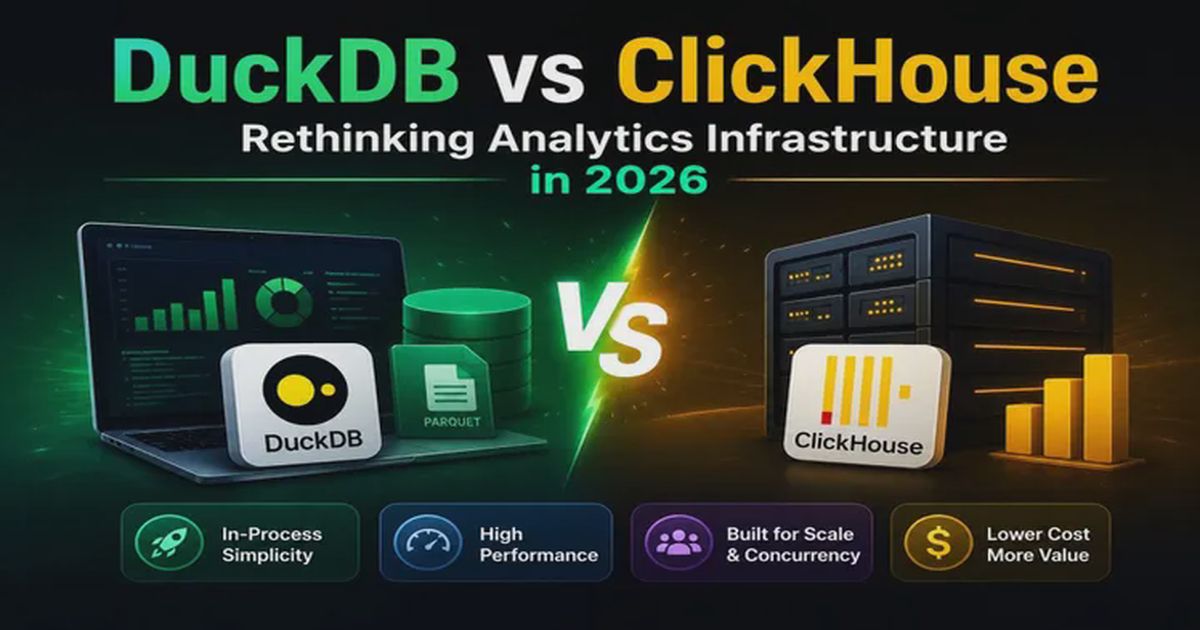
Comparing two of the most influential analytical engines of 2026 and understanding when simplicity beats scale.
Introduction
For years, analytics meant setting up a dedicated database server, managing infrastructure, tuning performance, and dealing with operational overhead. Whether you were building dashboards, processing event data, or running business intelligence workloads, the standard approach was to deploy a specialized analytics database and scale it as your data grew.
Then DuckDB arrived.
What started as an embedded analytical database quickly became one of the most talked-about technologies in modern data engineering. Developers discovered they could often analyze gigabytes—and in some configurations, terabytes—of data directly from their laptops without setting up a database server.
At the same time, ClickHouse remained a dominant solution for large-scale analytics workloads, powering real-time dashboards, observability platforms, product analytics tools, and high-volume data pipelines worldwide.
So which one should you choose in 2026?
The answer depends less on raw performance and more on how you work with data.
In this guide, we’ll compare DuckDB and ClickHouse across architecture, performance, scalability, operational complexity, and real-world use cases to help you make the right decision.
What Is DuckDB?
DuckDB is an open-source analytical database designed to run directly inside applications. Operating as an embedded engine, DuckDB runs in-process without requiring a separate server daemon.
You simply install it and start querying data.
Think of it as SQLite for analytics.
DuckDB is optimized for:
- OLAP workloads
- Large CSV, JSON, and Parquet datasets
- Data science and machine learning workflows
- ETL/ELT pipelines
- Local analytics
One of its biggest advantages is its ability to query data directly from local or remote files without requiring complex ingestion processes.
For example, querying a local Parquet file is as simple as:
SELECT *
FROM 'sales.parquet'
WHERE revenue > 10000;
With its built-in httpfs extension, you can query files stored on AWS S3 or Hugging Face directly over HTTPS using smart HTTP range requests (only downloading the byte ranges needed for the query):
-- Querying directly from S3
SELECT country, SUM(revenue)
FROM 's3://my-bucket/sales.parquet'
GROUP BY country;
No server setup. No cluster management. No infrastructure costs.
This simplicity is a major reason why DuckDB has become extremely popular among developers and modern data engineering teams.
Getting Started with DuckDB
Because DuckDB is serverless, setting it up is instant. You can run the CLI directly or import it as a library inside your preferred programming language:
- Python: Install with
pip install duckdb. - Node.js: Install with
npm install duckdb. - CLI: Download the single executable binary for your OS directly from the official DuckDB website.
The Rise of MotherDuck
In 2026, you cannot discuss DuckDB without mentioning MotherDuck. MotherDuck is a serverless, hybrid SaaS platform built on top of DuckDB. It solves the single-machine storage and compute limitations of standalone DuckDB. MotherDuck allows teams to run hybrid queries that combine local data with cloud-hosted data, share databases easily, and run collaborative analytics without managing a traditional warehouse. [1]
What Is ClickHouse?
ClickHouse is an open-source columnar database built for high-performance analytical workloads at scale.
Unlike DuckDB’s in-process model, ClickHouse operates as a dedicated client-server database.
It is designed to handle:
- Billions to trillions of rows
- High concurrency workloads (hundreds of queries per second)
- Real-time stream ingestion and analytics
- Distributed processing across clusters
- Multi-user environments
Many companies use ClickHouse for:
- Product analytics (like PostHog or Plausible)
- Log analytics and application monitoring (like SigNoz)
- IoT sensor data tracking
- Large-scale business intelligence platforms
The ClickHouse Secret Sauce
ClickHouse is widely recognized for its query execution speeds. This performance is largely driven by its native MergeTree storage engine family, which writes data sorted by a primary key in parts and merges them in the background. It utilizes vectorized query execution (processing data in arrays/vectors rather than row-by-row) and CPU-level optimizations (SIMD) to process millions of rows rapidly. [2]
ClickHouse Cloud
While self-hosting ClickHouse clusters introduces operational overhead, ClickHouse Cloud provides a fully managed, serverless ClickHouse service. It separates storage and compute, scaling resources automatically based on demand, which is one of the premium cloud services that simplifies operational complexity.
Getting Started with ClickHouse
ClickHouse operates under a client-server architecture and can be run locally or deployed to server infrastructure:
-
Docker (Local Dev): The fastest way to start ClickHouse locally is via Docker:
BASHdocker run -d --name clickhouse-server -p 8123:8123 -p 9000:9000 clickhouse/clickhouse-server -
Production Bare-Metal: Install the official DEB or RPM packages directly from the ClickHouse package repository.
-
Managed SaaS: Create a serverless instance instantly via ClickHouse Cloud to bypass infrastructure management.
DuckDB vs ClickHouse: Architectural Differences
The biggest difference between these two technologies is their architecture.
DuckDB Architecture
DuckDB runs inside your application process (embedded).
Application (Python, Node.js, WASM)
    │
    ├─► DuckDB Engine (In-process memory / Out-of-core execution)
    │
    ▼
CSV / Parquet / Local Files / Remote S3
There is no network communication layer and no separate database server. It stores data either in-memory or in a single .db file on disk. This minimizes network latency and optimizes local CPU utilization.
ClickHouse Architecture
ClickHouse operates as a dedicated service.
Applications / BI Tools / Clients
      │  (TCP / HTTP Protocol)
      ▼
 ClickHouse Server (Compute Node)
      │
      ▼
 Distributed Storage / MergeTree Engine (Disk / S3)
ClickHouse runs as a standalone daemon. It communicates via TCP or HTTP protocols, accepts concurrent connections, and manages its own storage layout on disk. This architecture enables distributed scaling across nodes but introduces minor network overhead.
Feature Comparison
| Feature | DuckDB | ClickHouse |
|---|---|---|
| Server Required | No | Yes |
| Cloud Ecosystem | MotherDuck (Hybrid local/cloud) | ClickHouse Cloud / Altinity |
| Primary Interfaces | Python, R, WASM, SQL CLI | TCP, HTTP, SQL Clients |
| Primary Storage Format | Single-file (.db), Parquet, CSV |
Custom Columnar (MergeTree Engine) |
| In-Browser Execution | Yes (via DuckDB-WASM) | No |
| Out-of-Core Execution | Yes (excellent streaming/external memory) | Yes (configurable memory limits) |
| Distributed Queries | No (unless using MotherDuck) | Yes (native cluster execution) |
| Real-Time Analytics | Limited (ad-hoc / local) | Excellent (native streaming/materialized views) |
| Multi-User Support | Limited (single writer, multiple readers) | Excellent (high concurrency) |
| Infrastructure Cost | Very Low | Medium to High (managed) |
Why DuckDB Is Changing Analytics
The rise of DuckDB is not just about performance; it’s about eliminating unnecessary complexity.
1. Zero Infrastructure
With DuckDB, there is no database server to provision, maintain, or secure. Developers can run high-performance OLAP queries instantly on their local machine, simplifying local testing and development pipelines.
2. Native Parquet & Zero-Copy Analytics
Parquet has become the default file format for analytical data lakes. DuckDB queries Parquet files directly. Instead of importing data into a database schema, you can run SQL directly on top of raw storage. This eliminates data duplication and ingestion pipelines.
3. WebAssembly (WASM) and Client-Side Analytics
DuckDB-WASM has brought the database engine directly into web browsers. Applications can download raw Parquet files and execute fast SQL queries client-side, enabling interactive dashboards that run entirely on the user’s browser without calling backend servers. [3]
4. Perfect for Python & Data Science
DuckDB integrates natively with the Python data ecosystem. It can query Pandas DataFrames, Polars DataFrames, and Arrow tables directly without copying data in memory (zero-copy sharing), making it the default analytical engine inside data science notebooks.
Where ClickHouse Still Dominates
Despite DuckDB’s growth, ClickHouse remains the gold standard for large-scale production analytics.
Real-Time Ingestion & Materialized Views
ClickHouse excels when millions of data points arrive continuously. It supports native integrations with Kafka, RabbitMQ, and S3. ClickHouse Materialized Views allow you to automatically aggregate and transform data as it is being ingested, enabling instant dashboard updates on pre-aggregated data.
High Concurrency
If your analytical database needs to back a customer-facing dashboard with high concurrent user volume, standard in-process setups like DuckDB may run into resource contention. ClickHouse is architected to support high-concurrency environments, running numerous concurrent, complex analytical queries per second.
Distributed Scaling
By design, standalone DuckDB runs within the resource limits of a single machine. ClickHouse can scale horizontally across multiple nodes, allowing organizations to process large datasets using distributed query execution.
Performance Benchmarks (2026)
To compare how these engines behave under analytical pressure, here are representative results from performance trials querying a sample dataset of 100 million rows (on a test node configuration with 8 Cores, 32GB RAM). [4, 5]
Query Speed (100M Rows - Lower is better):

1. Simple Count & Filter (Aggregating 1 column)
┌──────────────────────────────────────────────┐
│ DuckDB (Local Parquet)   ■■ 1.8s             │
│ ClickHouse (Single Node) ■■ 1.9s             │
│ PostgreSQL (Indexed BTree)■■■■■■■■■■■■ 10.4s │
└──────────────────────────────────────────────┘

2. Complex Group By & Joins (Scan & Join 3 tables)
┌──────────────────────────────────────────────┐
│ DuckDB (Local Parquet)   ■■■■ 3.4s           │
│ ClickHouse (Single Node) ■■■ 2.6s            │
│ PostgreSQL (No Indexes)  ■■■■■■■■■■■■■■ 45.2s│
└──────────────────────────────────────────────┘
The benchmark data highlights the gap between columnar engines (DuckDB and ClickHouse) and traditional row-oriented databases (PostgreSQL) for analytical operations:
| Benchmark Scenario | DuckDB | ClickHouse | PostgreSQL |
|---|---|---|---|
| 100M Rows (Simple Count) | 1.8 seconds | 1.9 seconds | 10.4 seconds (with Index) |
| 100M Rows (Complex Join/Group) | 3.4 seconds | 2.6 seconds | 45.2 seconds |
| Disk Storage Footprint | ~3.8 GB (Parquet) | ~4.2 GB (MergeTree) | ~18.5 GB |
Performance: Which Is Faster?
The better question is: Faster for what volume and concurrency?
Data Size:
  0 GB ───► 100 GB ──────────► 1 TB ────────────────► Petabytes
  ┌───────────────┐ ┌──────────────────┐ ┌─────────────────────┐
  │  DuckDB Wins  │ │ Hybrid / Tie     │ │   ClickHouse Wins   │
  │  (Zero-Network│ │ (MotherDuck or   │ │   (Distributed scale│
  │  latency)     │ │ Single Node CH)  │ │   & Concurrency)    │
  └───────────────┘ └──────────────────┘ └─────────────────────┘
Scenario 1: Local Data & Data Science Workflows
- Typical Choice: DuckDB
- Since DuckDB runs in-process, it avoids network serialization overhead, which generally yields lower latency for local data science and file analysis.
Scenario 2: Interactive In-Browser BI
- Typical Choice: DuckDB (WASM)
- Executing queries directly in the browser can reduce network round-trips, often leading to a more responsive user experience.
Scenario 3: Real-Time Streaming & Event Tracking
- Typical Choice: ClickHouse
- Ingesting high-throughput event streams and providing real-time query access is one of ClickHouse’s core design strengths.
Scenario 4: High Concurrency BI & Production Dashboards
- Typical Choice: ClickHouse
- ClickHouse is built to distribute query workloads across available CPU cores and cluster nodes to handle concurrent user requests.
Typical Use Cases for DuckDB
DuckDB is an excellent choice when:
- Building local ETL/ELT pipelines and transforming data
- Working with data lakes (Parquet, CSV, JSON) directly on S3/GCS
- Running analytics inside Python, Jupyter Notebooks, or R
- Creating interactive client-side web apps with DuckDB-WASM
- Developing data applications with minimal infrastructure overhead
- Querying cloud data warehouses in a hybrid serverless model (via MotherDuck)
Typical Use Cases for ClickHouse
ClickHouse is ideal when:
- Processing billions of event logs or telemetry metrics
- Running user-facing analytics dashboards (e.g., product analytics SaaS)
- Ingesting streaming data from Kafka or Event queues in real time
- Building observability and APM systems
- Scaling analytics across distributed hardware clusters
Operational Costs: The Hidden Difference
One area where DuckDB has a significant advantage is operational simplicity.
With ClickHouse, teams often need to manage:
- Cluster node provisioning and scaling
- Table schema definitions and primary key selections
- Part merges and disk space monitoring
- Backups and replication (ZooKeeper/Keeper management)
Managed ClickHouse Cloud reduces this overhead, but it comes with a financial cost. DuckDB, on the other hand, eliminates operational overhead entirely. For small teams, the developer productivity gains and zero-maintenance aspect of DuckDB are often more valuable than raw database scale.
Can DuckDB Replace ClickHouse?
Sometimes, but not always.
Rather than looking at them as competitors, many modern data architectures view them as complementary tools:
               ┌───────────────────────┐
               │    Real-Time Data     │
               └───────────┬───────────┘
                           ▼
               ┌───────────────────────┐
               │   ClickHouse Server   │  ◄── (Central Storage &
               └───────────┬───────────┘       High-Concurrency BI)
                           ▼ (Export/S3)
               ┌───────────────────────┐
               │  S3 / Parquet Files   │
               └───────────┬───────────┘
                           ▼
               ┌───────────────────────┐
               │     DuckDB Client     │  ◄── (Local Data Science &
               └───────────────────────┘       Ad-hoc exploration)
In this architecture, ClickHouse serves as the central real-time database backing the production systems, while DuckDB is used by data scientists and engineers to download, query, and transform subsets of data locally or inside BI reports.
DuckDB vs ClickHouse vs PostgreSQL
For a comprehensive comparison of how these two analytics powerhouses compare with a traditional relational database like PostgreSQL, evaluate the matrix below:
| Feature / Metric | DuckDB | ClickHouse | PostgreSQL |
|---|---|---|---|
| Primary Workload | OLAP (Analytical / Local) | OLAP (Analytical / Scale) | OLTP (Transactional / App Backend) |
| Architecture | In-process (Embedded) | Client-Server (Distributed) | Client-Server (Relational) |
| Storage Layout | Column-oriented | Column-oriented | Row-oriented |
| Concurrency Limit | Low (Single writer) | Extremely High (Thousands/sec) | Moderate-High (Highly concurrent OLTP) |
| OLAP Query Speed | Fast (Zero-network latency) | Extremely Fast (Vectorized / SIMD) | Slow (Scans full rows by default) |
| JSON/Semi-Structured | Excellent (Native type support) | Good (Optimized functions) | Excellent (JSONB indexed) |
| Setup & Maintenance | None (Zero config) | Moderate-High (Cluster tuning) | Low-Moderate |
| Best Fit | Local Data Science & ETL | High-throughput Real-time Analytics | Web Application Core Database |
The Future of Analytics in 2026
The analytics landscape is shifting toward simplicity and serverless options.
DuckDB represents a philosophy of “bringing analytics closer to the data” rather than moving data into complex systems. Between DuckDB’s local performance and MotherDuck’s serverless scaling, many workloads that once required a dedicated database warehouse no longer do.
At the same time, ClickHouse remains the unbeatable workhorse for massive, real-time distributed platforms. In 2026, the question is no longer whether DuckDB can compete with ClickHouse. The real question is whether your workload actually needs a dedicated server infrastructure at all.
For many teams, the answer is increasingly “no.” And that is exactly why DuckDB has become one of the most important data technologies of the decade.
Final Verdict
Choose DuckDB (and MotherDuck) if you want:
- Fast local analytics on files and notebook workflows
- Zero infrastructure setup and maintenance
- Client-side analytics inside web browsers (WASM)
- Data engineering simplicity (ETL/ELT)
Choose ClickHouse (and ClickHouse Cloud) if you need:
- Real-time streaming ingestion (e.g. from Kafka)
- High concurrent query loads from hundreds of users
- Distributed queries on terabytes/petabytes of data
- Massive-scale observability or SaaS analytics platforms
Frequently Asked Questions
1. Is DuckDB faster than ClickHouse?
For querying local files (like Parquet, CSV, or JSON) on a single machine, DuckDB is often faster because it executes in-process and avoids the overhead of network serialization. For large-scale, multi-node datasets and high query concurrency, ClickHouse is significantly faster.
2. Can I use DuckDB as the primary backend database for a web application?
No. DuckDB is designed for OLAP (analytical) workloads, not OLTP (transactional) workloads. It only allows a single writer process at a time and is not optimized for rapid, concurrent row writes. For web app backends, stick with PostgreSQL or another relational OLTP database.
3. Does ClickHouse support running in the browser?
No. ClickHouse operates strictly as a client-server model and requires a dedicated backend server or cloud cluster. If you need client-side SQL analytics, DuckDB-WASM is the standard solution.
4. What is MotherDuck and how does it relate to DuckDB?
MotherDuck is a collaborative, serverless cloud database built on top of DuckDB. It allows you to store files in the cloud, share databases with your team, and execute queries in a hybrid manner (splitting computation between your local laptop and MotherDuck’s cloud infrastructure).
5. Why is PostgreSQL slower than DuckDB and ClickHouse for analytical queries?
PostgreSQL is a row-oriented database, meaning it stores entire rows contiguously. When you run an aggregation (like SUM(sales)), PostgreSQL has to load every single row’s columns into memory. DuckDB and ClickHouse are column-oriented; they load only the sales column, scanning millions of data points hundreds of times faster.
6. Can DuckDB read data directly from ClickHouse?
Yes. DuckDB can query data exported from ClickHouse (e.g., in Parquet or CSV format), or you can use extensions to query data directly from ClickHouse tables over the network.
7. Can DuckDB replace ClickHouse?
Only under specific conditions. Standalone DuckDB is suitable for single-node workloads, local data transformation (ETL/ELT), and local data science workflows. However, for high-concurrency production environments, real-time streaming ingestion, and distributed multi-node clusters, ClickHouse remains the standard choice. In many modern architectures, they are utilized as complementary tools rather than competitors.
8. How do I set up DuckDB?
DuckDB is designed to require zero server-side setup. You can run the CLI directly on your local system or import it as a library in your preferred coding language. For instance, in Python, you can install it via pip install duckdb. For Node.js, run npm install duckdb. Single executable files are also available for download directly from the official DuckDB releases.
9. How do I set up ClickHouse?
ClickHouse can be run locally or deployed as a dedicated service. For local development, using Docker is generally the fastest method, running: docker run -d --name clickhouse-server -p 8123:8123 -p 9000:9000 clickhouse/clickhouse-server. For production-grade environments, you can utilize managed solutions like ClickHouse Cloud or perform a bare-metal installation using the official package repositories (DEB/RPM) on your target servers.
Want to deploy apps, clusters, or customize hosting services?
Explore our services at siliconpin.com and start building your own edge infrastructure today.
Subhodip Ghosh
Engineering, systems programming, and curated technology insights.