Micro editor on terminal
The text editor for common people.
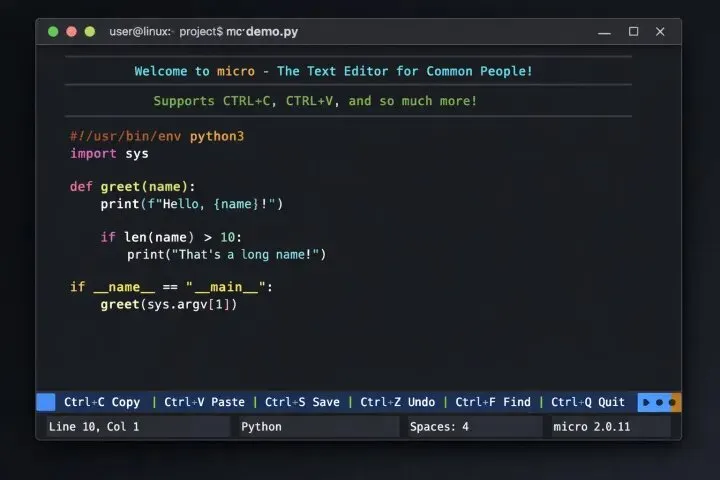
File Operations
Ctrl + S: Save the current file.
Ctrl + Q: Quit the editor (closes the current file/tab; quits the program if it is the last open item).
Ctrl + O: Open a file (prompts for a filename).
Editing
Ctrl + C: Copy selected text.
Ctrl + X: Cut selected text.
Ctrl + V: Paste copied text.
Ctrl + Z: Undo the last action.
Ctrl + Y: Redo an action.
Ctrl + K: Cut the entire current line.
Ctrl + A: Select all text in the current buffer.
Tab / Shift + Tab: Indent/unindent selected text or current line.
Navigation and Search
Ctrl + F: Start a search (opens a prompt at the bottom).
Ctrl + N: Go to the next search match.
Ctrl + P: Go to the previous search match.
Ctrl + L: Jump to a specific line number.
Arrow keys / Page Up / Page Down: Move the cursor or view.
Advanced and Other
Ctrl + E: Open the command bar (allows running editor commands, e.g., > saveas [filename], > hsplit [filename]).
Ctrl + G: Open the built-in help documentation.
Ctrl + T: Open a new tab.
Ctrl + W: Cycle between splits/windows in the current tab.
~/.config/micro/bindings.json
{
“Alt-/”: “lua:comment.comment”,
“Alt-o”: “command:tree”,
“Alt-d”: “command:definition”,
“Alt-f”: “command:format”,
“Alt-k”: “command:hover”,
“Alt-r”: “command:references”,
“CtrlSpace”: “command:lspcompletion”,
“CtrlUnderscore”: “lua:comment.comment”,
“F5”: "lua:wc.wordCount",
“F6”: "command-edit:gorename ",
“Alt-q”: “command:set wordwrap off,command:set softwrap off”,
“Alt-w”: “command:set wordwrap on,command:set softwrap on”
}
SUVANKAR SARKAR
Engineering, systems programming, and curated technology insights.