Package Managers in Linux and Unix-like Systems - The Evolution of Software Distribution
we need a better software distribution mechanism, seems the .Appimage is the best now.
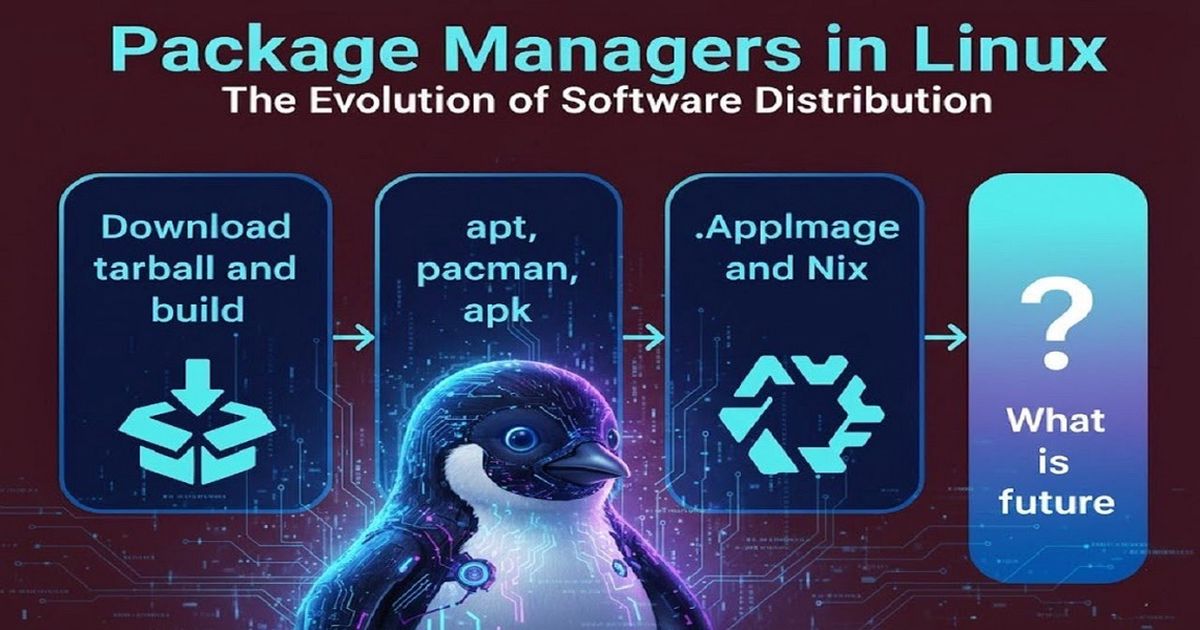
On windows and MAC it is simple you just get exe or dmg, what about UNIX like Systems, Linux or BSD?
When microsoft introduced servicepack since win95, the complexity increased, on linux and unix like system i remember getting tarball and build the application i need - it was fun but for a regular user it should not be the way to get an application.
The fascinating evolution of package management in Linux and Unix-like systems - from the early days of source code distribution in the 1970s and 80s, through the revolutionary package managers of the late 90s and early 2000s, to modern solutions like Flatpak and AppImage. And yes, we’ll talk about why Snap with –classic is… controversial.
We’re covering over 25 years of innovation in software distribution. Let’s get started!
S 1: THE BEGINNING - SOURCE CODE DISTRIBUTION
In the beginning, there was source code. And it was… complicated.
The Original Way
Back in the early Unix days, software distribution was beautifully simple in concept but painful in practice. Developers would share:
Source code (usually in a tarball - a .tar.gz file)
Build instructions (often a README or INSTALL file)
A Makefile or configure script
The process looked like this:
bash
wget http://example.com/software-1.0.tar.gz
tar -xzf software-1.0.tar.gz
cd software-1.0
./configure
make
sudo make install
The Problems
This approach had serious issues:
Dependency Hell - Your software needs library X version 2.3, but you have 2.1. So you download library X source, which needs library Y, which needs library Z… You see where this goes.
No Standardization - Every software installed files wherever the developer decided. Was it in /usr/local/bin? /opt? Who knows!
No Uninstall - Removing software meant manually tracking down every file it installed. Good luck with that.
Compilation Time - Want to install a web browser? Great, see you in 2 hours after it compiles.
No Updates - Checking for updates meant visiting websites manually. Security patches? You’d better be subscribed to mailing lists.
But this chaos led to innovation…
S2: TRADITIONAL PACKAGE MANAGERS
Package managers were a revolution. They solved the core problems by introducing:
Pre-compiled binaries
Dependency resolution
Centralized repositories
Easy updates and removal
The Big Players
APT (Debian/Ubuntu family) - 1999
sudo apt update
sudo apt install firefox
The Advanced Package Tool (APT) was first released with Debian 2.1 on March 9, 1999, and it changed everything. Before APT, Debian users had dpkg, but it couldn’t automatically resolve dependencies. APT revolutionized package management by:
Automatically downloading and installing dependencies
Managing package repositories
Handling upgrades intelligently
APT quickly became the gold standard for user-friendly package management. The .deb package format and APT’s approach influenced countless other package managers. Today, it powers not just Debian, but Ubuntu and hundreds of derivative distributions.
Pacman (Arch Linux) - 2002
sudo pacman -Syu firefox
Pacman was created by Judd Vinet and first released on March 11, 2002, as part of Arch Linux. It was designed from the ground up to be simple, fast, and powerful. Unlike APT which evolved from dpkg, pacman was a clean-slate design focused on:
Speed and efficiency
Simplicity in design and usage
The KISS principle (Keep It Simple, Stupid)
Pacman became the foundation for the Arch User Repository (AUR), one of the largest community-driven software repositories. Its straightforward approach inspired package managers in other distributions.
RPM/YUM/DNF (Red Hat/Fedora/CentOS) - 1997/2003/2015
sudo dnf install firefox
RPM (Red Hat Package Manager) dates back to 1997, making it one of the oldest package formats still in wide use. YUM (Yellowdog Updater, Modified) came in 2003 to add automatic dependency resolution to RPM. Finally, DNF (Dandified YUM) arrived in 2015 as a modern rewrite with better performance and cleaner code.
The RPM ecosystem powers enterprise Linux - Red Hat Enterprise Linux, Fedora, CentOS, and many others. It’s battle-tested, reliable, and handles complex dependency scenarios well.
APK (Alpine Linux) - 2009
apk add firefox
Alpine Package Keeper was created in 2009 for Alpine Linux, a security-oriented, lightweight distribution. APK was designed for:
Minimal footprint
Lightning-fast performance
Container and embedded use cases
Alpine’s small size (base system is around 5 MB) and APK’s speed made it the go-to choice for Docker images, revolutionizing containerization.
Zypper (openSUSE) - 2006
sudo zypper install firefox
Zypper, built on the ZYpp (libzypp) library, was introduced in 2006 for openSUSE. It offers excellent dependency resolution, powerful search capabilities, and rollback features, making it particularly popular in enterprise environments.
The Limitations
But traditional package managers have problems:
Fragmentation - A .deb won’t work on Fedora. An RPM won’t work on Ubuntu. Developers had to package for every distribution.
Dependency Conflicts - Software A needs library version 1.0, software B needs version 2.0. You can’t have both installed traditionally.
Outdated Packages - Stable distros (looking at you, Debian Stable) often ship ancient software versions for reliability. Great for servers, frustrating for desktops.
System-Wide Installation - Everything goes into system directories. Can’t easily test different versions or run apps in isolation.
This led to the next evolution…
S3: Homebrew for MAC & NIX for unix like systems.
brew install firefox
Homebrew brought simplicity to macOS and later to Linux. It installs packages in userspace, doesn’t need root privileges for most operations, and has a massive community repository. It’s particularly popular among developers who work across macOS and Linux.
Philosophy: Keep it simple, stay out of the system’s way, and make it easy for anyone to contribute packages.
Nix Package Manager
nix-env -iA nixpkgs.firefox
Nix is absolutely fascinating. It’s a purely functional package manager with some mind-blowing features:
Atomic Upgrades - Updates either complete fully or rollback entirely. No broken half-updated systems.
Reproducible Builds - The same package definition will build identically every single time, anywhere.
Multiple Versions - Install Firefox 100, 110, and 120 simultaneously. No conflicts.
Rollbacks - Made a mistake? Roll back to any previous system state instantly.
The trade-off? It has a steeper learning curve and uses a unique functional language for package definitions. But for power users and developers, it’s incredibly powerful.
Winget (Windows Package Manager)
winget install Firefox
While not Unix, worth mentioning as Windows finally got an official package manager in 2020. It shows that even Microsoft recognized the value of package management.
S 4: THE MODERN APPROACH - CONTAINERIZED PACKAGING
The latest evolution addresses the core limitation: distribution-agnostic software delivery with dependency isolation.
Flatpak - The People’s Champion
flatpak install flathub org.mozilla.firefox
Why Flatpak is excellent:
Universal - One package runs on Ubuntu, Fedora, Arch, wherever. Developers package once, users install anywhere.
Sandboxing - Apps run in isolated environments with fine-grained permissions. Want to deny an app internet access? Easy.
Multiple Versions - Need both the stable and beta version of an app? No problem.
Runtimes - Apps share common runtimes (GNOME, KDE, etc.), saving disk space while staying current.
Flathub - The centralized repository is well-maintained, includes popular software, and has clear app pages with permissions listed.
The sandboxing approach: Flatpak uses portals for system access, meaning apps request permissions explicitly. Modern, secure, and user-friendly.
AppImage - Simplicity Perfected
chmod +x Firefox.AppImage
./Firefox.AppImage
Why AppImage is brilliant:
Zero Installation - Download, make executable, run. That’s it. No package manager needed.
Portable - Put it on a USB drive. Move it between computers. It just works.
No Root Required - Perfect for systems where you don’t have admin access.
Self-Contained - Everything the app needs is bundled inside. One file, one app.
Old System Compatible - Run modern apps on older distributions because dependencies are bundled.
The philosophy: An AppImage is like a .exe on Windows or .app on macOS - a single file that IS the application.
I personally love AppImage for its simplicity. Download, double-click, done. No daemons, no system integration unless you want it, just pure portability.
Snap - The Controversial One
sudo snap install firefox
What Snap does well:
Distribution-agnostic like Flatpak
Automatic updates in the background
Transactional updates with rollback
Backed by Canonical, so good corporate support
Why Snap is controversial:
Closed Backend - The Snap Store backend is proprietary. Only Canonical controls it. This goes against open-source principles.
Performance - Snap apps often start slower than native apps due to loop device mounting.
The –classic Problem - This is the big one. Snaps can be installed with --classic which disables confinement entirely. The app gets full system access, defeating the entire security model. It’s like having airbags that you can just turn off.
sudo snap install code --classic # Full system access, no sandbox
Why does –classic exist? Because proper sandboxing is hard, and some complex apps (like Browser, IDEs) need deep system integration. But it’s a security nightmare and undermines the whole point of containerized apps.
Forced Adoption - Ubuntu started forcing Snap for certain apps (Firefox, Chromium), removing alternatives from their repos. Users don’t appreciate being forced into a specific technology.
This is why many users, myself included, prefer Flatpak or AppImage. They’re more aligned with open-source values and don’t compromise on their sandboxing principles.
S5: COMPARISONS AND USE CASES
When to Use What
Traditional Package Managers (apt, pacman, dnf):
System utilities and core software
When you want deep system integration
Server environments
When you need the absolute latest packages (rolling release)
Flatpak:
Desktop applications
Software you want sandboxed
Apps not in your distribution’s repos
When you want the latest version on a stable distro
AppImage:
Portable apps you run occasionally
Testing software without installing
When you don’t have root access
Maximum simplicity needed
Nix:
Development environments
When you need reproducibility
Multiple versions of tools simultaneously
Advanced users who value declarative configuration
Snap:
If you’re on Ubuntu and it’s already there
IoT devices (where Snap actually shines)
When you need automatic background updates
Not recommended if you have alternatives
S6: THE FUTURE
Where is software distribution heading?
Immutable Operating Systems - Distributions like Fedora Silverblue, NixOS, and others are building systems where the base OS is immutable and all user apps come from Flatpak or containers. This separation of concerns is elegant and secure.
Better Sandboxing - Flatpak’s portal system will continue improving, allowing more complex apps to run safely sandboxed without compromising functionality.
Standardization - We might see consolidation. Flatpak has momentum in the open-source community, while Snap may remain Ubuntu-specific.
Distribution-Independent Packaging - The trend is clear: developers want to package once, users want to install anywhere. The days of maintaining packages for 15 different distributions are numbered.
WebAssembly - Looking further ahead, WASM could revolutionize application distribution entirely, but that’s a topic for another video.
CONCLUSION
We’ve come a long way from ./configure && make && make install. Today’s landscape offers choices:
Traditional package managers for system integration
Flatpak for sandboxed, universal desktop apps
AppImage for maximum portability and simplicity
Nix for reproducibility and power users
And Snap… exists
The best part? You’re not locked into one solution. Mix and match based on your needs. Install Firefox via Flatpak, use apt for system tools, and keep a few AppImages for portable apps.
The evolution of package management shows the Linux community at its best - constantly innovating, solving real problems, and giving users choice.
What’s your preferred way to install software? Are you team Flatpak, team AppImage, or do you stick with traditional package managers? Let me know in the comments!
If you found this useful, consider liking and subscribing. And if you want me to do a deep dive on any specific package manager or a tutorial on setting up Flatpak or Nix, let me know!
SUVANKAR SARKAR
Engineering, systems programming, and curated technology insights.