Budget Intel and AMD CPUs Under €50 in Europe
These budget Intel and AMD processors still offer great value in Europe’s used market in 2026. They are cheap, reliable, and good enough for office work, web browsing, multimedia, and basic PC builds under €50.
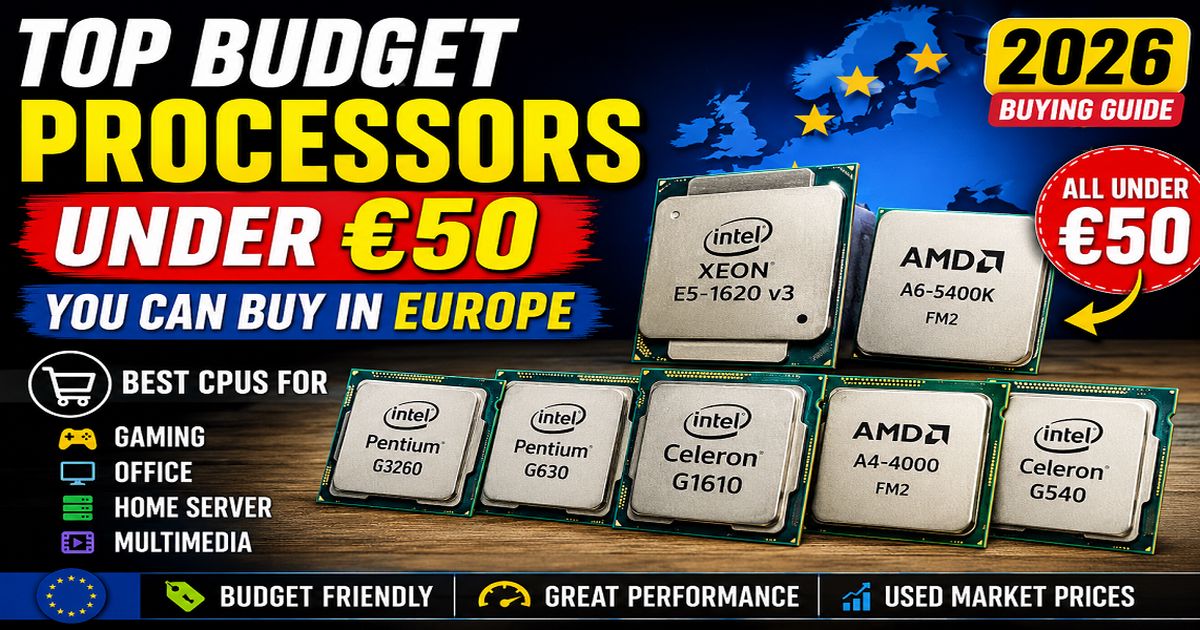
These budget Intel and AMD processors are still popular in Europe’s used PC market because they are cheap, reliable, and good enough for everyday computing. For under €50, you can build a desktop PC for office work, web browsing, multimedia, retro gaming, Linux, or even a small home server. CPUs like the Intel Pentium G3260 and AMD A6-5400K remain great low-cost choices for budget gaming, while the Xeon E5-1620 v3 offers strong workstation performance at a surprisingly affordable price.
Processor Lists with Quick Comparison
| Processor | Approx. Europe Price | Cores / Threads | Base Clock | Socket | View Details |
|---|---|---|---|---|---|
| Intel Celeron G1610 | €5–€10 | 2C / 2T | 2.60 GHz | LGA1155 | View Details |
| Intel Celeron G540 | €4–€8 | 2C / 2T | 2.50 GHz | LGA1155 | View Details |
| Intel Pentium G3260 | €10–€18 | 2C / 2T | 3.30 GHz | LGA1150 | View Details |
| Intel Pentium G620 | €5–€9 | 2C / 2T | 2.60 GHz | LGA1155 | View Details |
| Intel Pentium G630 | €6–€10 | 2C / 2T | 2.70 GHz | LGA1155 | View Details |
| AMD A4-4000 | €5–€10 | 2C / 2T | 3.00 GHz | FM2 | View Details |
| AMD A4-3400 | €4–€7 | 2C / 2T | 2.70 GHz | FM1 | View Details |
| AMD A4-3300 | €4–€6 | 2C / 2T | 2.50 GHz | FM1 | View Details |
| AMD A6-5400K | €8–€15 | 2C / 2T | 3.60 GHz | FM2 | View Details |
| Intel Xeon E5-1620 v3 | €20–€40 | 4C / 8T | 3.50 GHz | LGA2011-3 | View Details |
Intel Celeron G1610
Description
The Intel Celeron G1610 is a budget desktop processor from Intel’s Ivy Bridge generation, launched around Q1 2013. It is designed for basic computing tasks such as web browsing, office work, media playback, and lightweight applications.
Built for the LGA 1155 socket platform, it was commonly used in entry-level PCs across Europe during the early 2010s. Today, it is considered legacy hardware, still usable for very light workloads or retro systems.
Key Features
- Dual-core / Dual-thread CPU
- Base clock: 2.60 GHz
- 2 MB Intel Smart Cache
- 22nm Ivy Bridge architecture
- Socket LGA 1155 compatibility
- Integrated Intel HD Graphics (Ivy Bridge GT1)
- DDR3 memory support (up to 1333 MHz)
- Intel VT-x virtualization support
- Low power design (55W TDP)
Specification
| Specification | Details |
|---|---|
| Architecture | Ivy Bridge |
| Cores / Threads | 2 / 2 |
| Base Frequency | 2.60 GHz |
| Cache | 2 MB L3 |
| TDP | 55 W |
| Socket | LGA 1155 |
| Memory Support | DDR3-1333 (dual channel) |
| Max Memory | Up to 32 GB |
| Integrated GPU | Intel HD Graphics (650–1050 MHz) |
| PCIe Version | PCIe 2.0 |
| Release Date | Q1 2013 |
| Manufacturing | 22 nm |
Features Breakdown
- Entry-level performance for office PCs and home desktops
- Basic HD video playback support (no modern hardware acceleration like HEVC/VP9)
- Supports 64-bit computing
- Includes Intel technologies like SpeedStep, Execute Disable Bit
- Works with ECC RAM (chipset dependent)
- Good compatibility with older H61/B75/H77 motherboards in Europe
| Pros | Cons |
|---|---|
| Very cheap (used market in Europe is low-cost) | Very weak performance by modern standards |
| Low power consumption (55W) | No Hyper-Threading (only 2 threads total) |
| Stable for basic computing tasks | No Turbo Boost |
| Compatible with many LGA 1155 boards | Not suitable for modern gaming |
| Integrated graphics (no GPU required for basic use) | Limited multitasking capability |
| Easy drop-in CPU upgrade for older systems | Platform is fully discontinued (end-of-life) |
User Reviews
- “Good for old office PCs, nothing more.”
- “Works fine with SSD for basic tasks.”
- “Heavy bottleneck in gaming systems.”
- “E-waste level performance for modern workloads (but still usable for retro PCs).”
- “Great for Linux servers or very light home use.”
Overall sentiment:
👉 Reliable but extremely outdated CPU
Performance Overview
- Comparable to low-end laptops from 2012–2014
- Can handle:
- Old games (CS 1.6, LoL low settings, etc.)
- Media playback (1080p H.264)
- Office & browsing -
CODE
Struggles with:- Modern AAA games
- Heavy multitasking
- Video editing
- Windows 11 (unsupported officially)
Europe Market Overview
- Typical Used Price: €5–15
- Popular in refurbished office PCs
- Common in Germany, Poland, and Eastern European used markets
- Good for ultra-budget builds or NAS systems
Intel Celeron G540
Description
The Intel Celeron G540 is a 32nm dual-core CPU running at 2.50GHz with 2MB L3 cache and integrated Intel HD Graphics. It uses the Socket LGA1155 platform and supports DDR3 memory.
Unlike higher-end Sandy Bridge chips, the G540 does not include:
- Hyper-Threading
- Turbo Boost
- Advanced integrated graphics
Still, for very lightweight tasks, it remains surprisingly stable and usable.
Key Features
- Dual-core Sandy Bridge architecture
- 2.50GHz base clock
- LGA1155 socket support
- Intel HD integrated graphics
- DDR3 dual-channel memory support
- Low power consumption (65W TDP)
- 64-bit computing support
- Intel VT-x virtualization support
- Hardware video decoding for 1080p playback
Specifications
| Specification | Details |
|---|---|
| Model | Intel Celeron G540 |
| S-Spec | SR05J |
| Architecture | Sandy Bridge |
| Launch Year | 2011 |
| Socket | LGA1155 |
| Cores | 2 |
| Threads | 2 |
| Base Clock | 2.50GHz |
| Turbo Boost | No |
| Hyper-Threading | No |
| Cache | 2MB L3 |
| Lithography | 32nm |
| TDP | 65W |
| Integrated Graphics | Intel HD Graphics |
| Memory Support | DDR3-1066 |
| Max Memory | 32GB |
| PCIe Support | PCIe 2.0 |
| Virtualization | Intel VT-x |
| Instruction Set | 64-bit |
| Max Displays | 2 |
Features
- Sandy Bridge Efficiency
The Sandy Bridge architecture improved performance-per-clock compared to older Intel generations.
- Integrated Graphics
The built-in Intel HD Graphics can handle:
- HD video playback
- Basic desktop usage
- Very old games
Low-Cost Upgrade Path
Many users buy cheap H61 or H67 motherboards and upgrade later to:
- Core i3-2100
- Core i5-2400
- Core i7-3770
This upgrade path is still discussed in PC communities.
Pros & Cons
| Pros | Cons |
|---|---|
| Very cheap in used market | Extremely slow by modern standards |
| Low power consumption | Only 2 cores / 2 threads |
| Stable for basic tasks | No Turbo Boost |
| Integrated graphics included | Weak integrated GPU |
| Good for retro PCs | Poor gaming performance |
| Compatible with many LGA1155 boards | Struggles with modern browsers |
| Good beginner server/NAS CPU | No AVX support |
User Reviews & Community Opinions
Many users on Reddit and PC forums describe the G540 as:
- “usable for lightweight tasks”
- “good for old office systems”
- “fine for Linux and retro setups”
But most users strongly recommend upgrading to at least a Core i5 Sandy Bridge CPU for gaming or multitasking.
Common user experiences:
- Smooth for office work
- Acceptable for YouTube 1080p
- Poor performance in modern Windows multitasking
- Very limited gaming ability
Market Overview
Typical pricing in Europe (2026):
- CPU only: €3–€10
- Full LGA1155 office PC: €20–€60
Verdict
The Intel Celeron G540 is no longer suitable for modern high-performance computing, but it still has value in ultra-budget and retro PC projects.
If you already own an LGA1155 motherboard, the G540 can work as:
- a temporary CPU,
- a lightweight Linux processor,
- or a starter office system.
For serious daily use, upgrading to a Sandy Bridge or Ivy Bridge Core i5/i7 is a much better choice.
Intel Pentium G3260
Description
The Pentium G3260 is a Haswell-based dual-core processor released for budget desktops. It remains popular in Europe for low-cost gaming builds and home servers.
Key Features
- 3.30 GHz clock speed
- Haswell architecture
- Better IPC than older Celerons
- Intel HD Graphics
- Low 53W TDP
Specifications
| Specification | Details |
|---|---|
| Architecture | Haswell |
| Cores / Threads | 2 / 2 |
| Clock Speed | 3.30 GHz |
| Cache | 3MB |
| TDP | 53W |
| Socket | LGA 1150 |
| RAM Support | DDR3 |
Features
- Good single-core performance
- Suitable for lightweight gaming
- Often used in budget servers
- Supports virtualization
Pros & Cons
| Pros | Cons |
|---|---|
| Faster than older Pentiums | Only 2 cores |
| Good energy efficiency | Modern games may stutter |
| Cheap used market price | No Hyper-Threading |
| Stable Linux compatibility |
User Reviews
Users report decent performance for games like CS:GO, Valorant, and older esports titles, but modern AAA games struggle. Some also use it successfully for Proxmox and lightweight servers.
Europe Market Overview
- Used Price: €10–20
- Popular in refurbished Haswell office systems
- Good ultra-budget gaming CPU
Intel Pentium G620
Description
The Intel Pentium G620 is an entry-level desktop processor from Intel’s 2nd Generation Sandy Bridge lineup. Released in 2011, it was designed for budget office PCs, home systems, and lightweight computing tasks. Even today, it still appears in the used European hardware market because of its low price, low power usage, and compatibility with older LGA1155 motherboards.
Key Features
- Dual-core Sandy Bridge architecture
- 2.60 GHz base clock
- Socket LGA 1155 compatibility
- 3 MB Smart Cache
- Integrated Intel HD Graphics
- DDR3 dual-channel memory support
- Low 65W power consumption
- Suitable for basic office and educational use
- Hardware virtualization support (Intel VT-x)
Specification
| Specification | Details |
|---|---|
| Processor Name | Intel Pentium G620 |
| Architecture | Sandy Bridge |
| Launch Date | May 2011 |
| Socket | LGA 1155 |
| Cores / Threads | 2 Cores / 2 Threads |
| Base Clock | 2.60 GHz |
| Turbo Boost | No |
| Cache | 3 MB L3 Cache |
| Manufacturing Process | 32nm |
| TDP | 65W |
| Memory Support | DDR3-1066/1333 |
| PCIe Support | PCIe 2.0 |
| Integrated Graphics | Intel HD Graphics |
| Overclocking | Locked Multiplier |
| Virtualization | Intel VT-x |
| Part Number | SR05R |
Features
- Efficient Sandy Bridge Design
Intel’s Sandy Bridge generation improved power efficiency and single-core performance compared to older Pentium processors.
- Integrated Graphics
The built-in Intel HD Graphics allows systems to run without a dedicated GPU for basic tasks.
- Low-Cost Upgrade Option
Still useful for repairing or upgrading older LGA1155 systems on a very small budget.
- Stable Office Performance
Good enough for:
- Web browsing
- Microsoft Office
- YouTube playback
- POS systems
- Lightweight Linux PCs
Overview
The Intel Pentium G620 features 2 cores running at 2.60 GHz with a 65W TDP. It uses Intel’s Sandy Bridge architecture and supports DDR3 memory. The processor was popular in low-cost desktops across Europe thanks to its stability and decent everyday performance for web browsing, office work, and multimedia playback.
In today’s European used market, the Pentium G620 is commonly found in refurbished PCs, office systems, and retro budget builds. Prices generally range between €5–€15 depending on condition and seller.
Intel Pentium G630
Description
The Intel Pentium G630 SR05S is a budget dual-core desktop processor released in 2011 for the LGA 1155 (Socket H2) platform. It is based on Intel’s Sandy Bridge architecture and was designed for affordable home and office PCs.
The processor runs at 2.70 GHz, includes integrated Intel HD Graphics, and supports DDR3 memory. Even though it is now considered outdated, it is still used in Europe’s second-hand and refurb PC market for lightweight tasks such as:
- Office work
- Web browsing
- Retro gaming
- Linux PCs
- Small NAS or home server projects
It remains popular because used LGA1155 motherboards and CPUs are inexpensive across European refurb markets.
Key Features
- Dual-Core Sandy Bridge processor
- 2.70 GHz base clock
- Socket LGA1155 compatibility
- Integrated Intel HD Graphics
- 65W TDP power consumption
- Supports DDR3 RAM
- Intel VT-x virtualization support
- 32nm manufacturing process
- Suitable for budget or legacy systems
Specifications
| Specification | Details |
|---|---|
| Processor Model | Intel Pentium G630 |
| sSpec Number | SR05S |
| Architecture | Sandy Bridge |
| Release Year | 2011 |
| Socket | LGA 1155 |
| Cores | 2 |
| Threads | 2 |
| Base Clock Speed | 2.70 GHz |
| Turbo Boost | No |
| L3 Cache | 3 MB |
| Manufacturing Process | 32nm |
| TDP | 65W |
| Integrated Graphics | Intel HD Graphics |
| Graphics Frequency | 850 MHz – 1.1 GHz |
| Memory Support | DDR3-1066 |
| Virtualization | Intel VT-x |
| Instruction Set | 64-bit |
| PCIe Support | PCIe Gen 3 (CPU dependent) |
Features
Performance
The Pentium G630 offers decent single-core performance for older software and lightweight computing tasks. However, it lacks Hyper-Threading and Turbo Boost.
Integrated Graphics
Includes basic Intel HD Graphics suitable for:
- HD video playback
- Office work
- Older games
- Linux desktop usage
Low Power Usage
With a 65W TDP, the CPU is relatively power efficient for older desktop systems.
Upgrade Potential
Because it uses the LGA1155 socket, users can upgrade later to:
- Intel Core i3
- Core i5
- Core i7 Sandy/Ivy Bridge CPUs
Pros & Cons
| Pros | Cons |
|---|---|
| Very cheap in Europe used market | Weak by modern standards |
| Stable for office tasks | Only 2 cores / 2 threads |
| Low power consumption | No Turbo Boost |
| Integrated graphics included | Poor modern gaming performance |
| Good for retro PCs | Limited multitasking |
| Compatible with many LGA1155 boards | DDR3 platform is outdated |
Overview
The Intel Pentium G630 SR05S was a solid entry-level processor during the Sandy Bridge era. In 2026, it is best suited for:
- Basic computing
- Retro systems
- Low-cost refurb PCs
- Lightweight Linux machines
For modern gaming, video editing, or heavy multitasking, newer processors are strongly recommended.
AMD A4-Series A4-4000
Description
The AMD A4-4000 AD4000OKA23HL is a budget dual-core desktop APU (Accelerated Processing Unit) released for the Socket FM2 platform. It combines a CPU and integrated Radeon graphics in one chip, making it suitable for entry-level PCs without needing a dedicated graphics card.
Built on AMD’s 32nm Richland/Trinity-era architecture, the processor operates at 3.00 GHz with a turbo boost up to 3.20 GHz. It was designed mainly for:
- Home and office computers
- Basic multimedia usage
- Older games
- Budget desktop systems
Today, it is mostly found in the European second-hand and refurb PC market.
Key Features
- Dual-Core AMD APU processor
- 3.00 GHz base clock
- Turbo Core up to 3.20 GHz
- Integrated Radeon HD 7480D graphics
- Socket FM2 compatibility
- DDR3 memory support
- 65W TDP power usage
- AMD-V virtualization support
- Budget-friendly used market CPU
- Suitable for retro and lightweight systems
Specifications
| Specification | Details |
|---|---|
| Processor Model | AMD A4-4000 |
| Part Number | AD4000OKA23HL |
| Architecture | Richland / Piledriver |
| Launch Year | 2013 |
| Socket | FM2 |
| Cores | 2 |
| Threads | 2 |
| Base Clock | 3.00 GHz |
| Turbo Clock | 3.20 GHz |
| L2 Cache | 1 MB |
| L3 Cache | None |
| Process Technology | 32nm |
| TDP | 65W |
| Integrated GPU | Radeon HD 7480D |
| GPU Frequency | 724 MHz |
| Memory Support | DDR3-1333 |
| Memory Channels | Dual Channel |
| 64-bit Support | Yes |
| Virtualization | AMD-V |
| Instruction Sets | SSE4, AVX, AES-NI, FMA |
Features
Integrated Radeon Graphics
The built-in Radeon HD 7480D graphics allows:
- HD video playback
- Basic gaming
- Linux desktop usage
- Office and multimedia tasks
No dedicated graphics card is required for simple systems.
Turbo Core Technology
The processor can automatically boost from 3.0 GHz to 3.2 GHz during heavier workloads for slightly improved responsiveness.
Low-Cost Platform
FM2 motherboards and DDR3 RAM are very inexpensive in Europe’s used hardware market, making this CPU popular for ultra-budget builds.
Retro Gaming Support
The A4-4000 can still handle:
- Older Windows games
- Retro emulators
- Lightweight Linux gaming
However, modern games perform poorly due to the weak integrated GPU. Reddit users frequently describe it as suitable only for “very old” or low-demand games.
Pros & Cons
| Pros | Cons |
|---|---|
| Very cheap in used market | Weak modern performance |
| Integrated Radeon graphics | Only 2 cores / 2 threads |
| Good for basic office tasks | Poor multitasking |
| Supports lightweight gaming | FM2 platform is obsolete |
| DDR3 support keeps cost low | Struggles with Windows 11 |
| Low-cost retro PC option | Weak integrated GPU |
User Experience & Community Feedback
Community discussions generally agree that:
- The CPU is acceptable for basic tasks
- Modern gaming is not practical
- Windows 10 performance is limited
- Adding an SSD improves responsiveness significantly
Many users recommend upgrading to newer AM4 Ryzen systems instead of investing heavily into FM2 hardware.
Overview
The AMD A4-4000 AD4000OKA23HL was an affordable entry-level APU during the early 2010s. In 2026, it is best suited for:
- Basic computing
- Retro gaming
- Linux PCs
- Budget refurb systems
- Educational projects
For modern gaming, heavy multitasking, video editing, or demanding applications, newer Ryzen processors are strongly recommended.
AMD A4-Series A4-3400
Description
The AMD A4-3400 AD3400OKA23HL is an entry-level dual-core desktop APU (Accelerated Processing Unit) designed for the Socket FM1 platform. Released in 2011, it combines CPU processing cores with integrated Radeon graphics on a single chip.
Based on AMD’s Llano architecture, the processor was created for:
- Budget home PCs
- Office computers
- Multimedia playback
- Entry-level gaming
- Educational systems
The integrated Radeon HD 6410D graphics helped users build low-cost PCs without needing a dedicated graphics card. In today’s Europe refurb market, the A4-3400 is mainly used in older desktop systems and retro builds.
Key Features
- Dual-Core AMD APU
- 2.70 GHz base clock speed
- Socket FM1 compatibility
- Integrated Radeon HD 6410D graphics
- DDR3 memory support
- 65W thermal design power
- AMD-V virtualization support
- DirectX 11 graphics support
- Budget-friendly used market CPU
- Suitable for retro and lightweight computing
Specifications
| Specification | Details |
|---|---|
| Processor Model | AMD A4-3400 |
| Part Number | AD3400OKA23HL |
| Architecture | Llano (K10-based) |
| Release Year | 2011 |
| Socket | FM1 |
| Cores | 2 |
| Threads | 2 |
| Base Clock Speed | 2.70 GHz |
| Turbo Boost | No |
| L2 Cache | 1 MB |
| Manufacturing Process | 32nm |
| TDP | 65W |
| Integrated GPU | Radeon HD 6410D |
| GPU Frequency | 600 MHz |
| Shader Units | 160 |
| Memory Support | DDR3-1600 |
| Memory Channels | Dual Channel |
| Virtualization | AMD-V |
| DirectX Support | DirectX 11 |
| 64-bit Support | Yes |
Features
Integrated Radeon Graphics
The built-in Radeon HD 6410D graphics was one of the processor’s biggest advantages during its time. It supports:
- HD video playback
- Older PC games
- Basic multimedia tasks
- Linux desktop systems
The integrated GPU performs slightly better than some later low-end AMD A4 chips in graphics workloads.
Upgrade-Friendly Legacy Platform
FM1 motherboards still support several older AMD A-series APUs, making the platform useful for:
- Repair projects
- Retro builds
- Educational systems
- Budget refurb desktops
However, the FM1 platform is now considered obsolete and replacement parts can be difficult to find.
SSD Improves Performance
Community feedback commonly mentions that adding an SSD dramatically improves responsiveness on older A4 systems, especially for Windows 10 and Linux.
Pros & Cons
| Pros | Cons |
|---|---|
| Very cheap in Europe used market | Extremely outdated hardware |
| Integrated Radeon graphics | Only 2 cores / 2 threads |
| Good for basic office tasks | Weak multitasking performance |
| Supports retro gaming | No Turbo Boost |
| DDR3 RAM keeps costs low | FM1 platform discontinued |
| Low-cost refurb PC option | Poor modern gaming performance |
User Experience & Community Feedback
Community discussions generally describe the A4-3400 as:
- Acceptable for very basic tasks
- Capable of running older games
- Weak for modern applications
- Noticeably improved with SSD upgrades
Several users recommend pairing it with low-end dedicated GPUs such as:
- GTX 750 Ti
- GTX 1050
- Radeon R9 270
for lightweight gaming upgrades.
Overview
The AMD A4-3400 AD3400OKA23HL was a practical low-cost APU during the early FM1 era. In 2026, it is best suited for:
- Basic computing
- Retro gaming
- Linux PCs
- Budget refurb systems
- Educational and repair projects
For modern gaming, content creation, or heavy multitasking, newer Ryzen processors are strongly recommended.
AMD A4-Series A4-3300
Description
The AMD A4-3300 AD3300OKA23HL is an entry-level dual-core APU (Accelerated Processing Unit) released in 2011 for the Socket FM1 platform. It combines a CPU and Radeon graphics processor into a single chip, making it a low-cost solution for home and office desktops.
Built on AMD’s Llano (K10) architecture, the processor runs at 2.50 GHz and includes integrated Radeon HD 6410D graphics. During its release period, it was popular for:
- Budget desktop PCs
- Multimedia systems
- Basic gaming
- Office computers
- Entry-level family PCs
Today, it is mainly found in Europe’s refurb and used-PC market for retro computing and lightweight Linux systems.
Key Features
- Dual-Core AMD APU
- 2.50 GHz base clock
- Socket FM1 compatibility
- Integrated Radeon HD 6410D graphics
- DDR3-1600 memory support
- DirectX 11 graphics support
- AMD-V virtualization support
- 65W TDP power consumption
- Overclocking support
- Budget-friendly legacy processor
Specifications
| Specification | Details |
|---|---|
| Processor Model | AMD A4-3300 |
| Part Number | AD3300OKA23HL |
| Architecture | Llano (K10) |
| Launch Year | 2011 |
| Socket | FM1 |
| Cores | 2 |
| Threads | 2 |
| Base Clock Speed | 2.50 GHz |
| Turbo Boost | No |
| Manufacturing Process | 32nm |
| L3 Cache | 1 MB |
| TDP | 65W |
| Integrated GPU | Radeon HD 6410D |
| GPU Frequency | 444 MHz |
| Shader Units | 160 |
| DirectX Support | DirectX 11 |
| Memory Support | DDR3-1600 |
| Memory Channels | Dual Channel |
| Virtualization | AMD-V |
| 64-bit Support | Yes |
| Overclocking | Supported |
Features
Integrated Radeon Graphics
The built-in Radeon HD 6410D graphics was one of the strongest features of the A4-3300 during its time. It supports:
- HD video playback
- Older PC games
- Multimedia applications
- Linux desktop environments
The integrated GPU supports DirectX 11, which helped improve gaming and media performance compared to older office CPUs.
Budget Gaming Support
The A4-3300 can still handle:
- Retro games
- Older eSports titles
- Emulators
- Lightweight games such as League of Legends and older FIFA versions
However, modern games are heavily limited by the weak dual-core CPU performance. Reddit users commonly describe the processor as acceptable only for older or low-demand games.
Low-Cost Refurb Systems
The FM1 platform remains popular among ultra-budget users because:
- DDR3 RAM is inexpensive
- Used FM1 motherboards are cheap
- Basic repair parts are easy to find
Many users now use these systems for:
- Linux PCs
- Retro gaming
- NAS or Plex servers
- Educational projects
Community discussions often recommend SSD upgrades to improve overall responsiveness.
Pros & Cons
| Pros | Cons |
|---|---|
| Very cheap in used Europe market | Extremely outdated performance |
| Integrated Radeon graphics | Only 2 cores / 2 threads |
| Good for retro gaming | No Turbo Boost |
| Supports DDR3-1600 RAM | Weak modern multitasking |
| DirectX 11 support | FM1 platform discontinued |
| Useful for Linux systems | Poor modern gaming performance |
User Experience & Community Feedback
Community feedback generally describes the AMD A4-3300 as:
- Reliable for simple daily tasks
- Good enough for YouTube and office work
- Weak for modern Windows gaming
- Significantly improved when paired with an SSD
Some users still use the processor in budget multimedia PCs or retro gaming systems.
Overview
The AMD A4-3300 AD3300OKA23HL was a practical low-cost APU for entry-level PCs during the early 2010s. In 2026, it is best suited for:
- Basic computing
- Linux desktops
- Retro gaming
- Multimedia playback
- Educational or repair projects
For modern gaming, video editing, streaming, or heavy multitasking, newer AMD Ryzen processors are strongly recommended.
AMD A6-Series A6-5400K
Description
The AMD A6-5400K AD5400KOKA23HL is a dual-core desktop APU (Accelerated Processing Unit) released in 2012 for the Socket FM2 platform. It combines CPU processing and Radeon graphics into a single chip, making it a low-cost solution for budget PCs without requiring a dedicated graphics card.
Built on AMD’s Trinity / Piledriver architecture, the processor runs at a 3.60 GHz base clock and can boost up to 3.80 GHz using AMD Turbo Core technology. The unlocked multiplier (“K” series) also allows overclocking for enthusiasts.
The A6-5400K was mainly designed for:
- Budget gaming PCs
- Home multimedia systems
- Office desktops
- Educational computers
- Entry-level Linux systems
In today’s Europe used-PC market, it is commonly found in older FM2 desktop systems and low-cost refurb builds.
Key Features
- Dual-Core AMD APU
- 3.60 GHz base clock speed
- Turbo Core up to 3.80 GHz
- Socket FM2 compatibility
- Integrated Radeon HD 7540D graphics
- Unlocked multiplier for overclocking
- DDR3-1866 memory support
- DirectX 11 graphics support
- AMD-V virtualization support
- 65W TDP power consumption
Specifications
| Specification | Details |
|---|---|
| Processor Model | AMD A6-5400K |
| Part Number | AD5400KOKA23HL |
| Architecture | Trinity / Piledriver |
| Release Year | 2012 |
| Socket | FM2 |
| Cores | 2 |
| Threads | 2 |
| Base Clock Speed | 3.60 GHz |
| Turbo Clock | 3.80 GHz |
| Manufacturing Process | 32nm |
| L2 Cache | 1 MB |
| TDP | 65W |
| Integrated GPU | Radeon HD 7540D |
| GPU Frequency | 760 MHz |
| Shader Units | 192 |
| Memory Support | DDR3-1866 |
| Memory Channels | Dual Channel |
| DirectX Support | DirectX 11 |
| Virtualization | AMD-V |
| Overclocking Support | Yes (Unlocked Multiplier) |
| 64-bit Support | Yes |
Features
Integrated Radeon HD 7540D Graphics
The built-in Radeon HD 7540D graphics was considered decent for entry-level gaming during its release period. It supports:
- HD video playback
- Older PC games
- Retro emulators
- Linux desktop systems
- Basic multimedia editing
The GPU supports DirectX 11 and performs better than many older integrated graphics solutions from the same era.
Turbo Core Technology
AMD Turbo Core automatically boosts the processor from 3.6 GHz to 3.8 GHz under heavier workloads, helping improve responsiveness in lightweight applications and games.
Overclocking Support
Because the processor belongs to AMD’s “K” series, it includes an unlocked multiplier for easier overclocking. Many users paired it with affordable FM2 motherboards for budget gaming builds.
Lightweight Gaming Capability
The A6-5400K can still handle:
- Minecraft
- Older Counter-Strike versions
- Retro emulators
- Lightweight eSports games
- Older Steam titles
However, modern games are heavily limited by the dual-core CPU performance. Reddit users often mention the processor reaching 100% usage during modern browser tasks or newer games.
SSD Upgrade Benefits
Community discussions frequently recommend pairing the A6-5400K with an SSD to improve system responsiveness for Windows 10 or Linux systems.
Pros & Cons
| Pros | Cons |
|---|---|
| Very cheap in Europe used market | Weak modern CPU performance |
| Integrated Radeon graphics | Only 2 cores / 2 threads |
| Overclocking support | Poor multitasking |
| Good for retro gaming | FM2 platform is obsolete |
| DDR3 RAM keeps system cost low | Struggles with modern games |
| Suitable for Linux systems | Limited future upgrade path |
User Experience & Community Feedback
Community feedback generally describes the AMD A6-5400K as:
- Reliable for basic daily tasks
- Acceptable for retro gaming
- Noticeably slow in modern Windows usage
- Improved significantly with SSD upgrades
Some users still use the processor in media-center PCs or Steam streaming systems.
Overview
The AMD A6-5400K AD5400KOKA23HL was a solid low-cost desktop APU during the FM2 era. In 2026, it is best suited for:
- Basic office work
- Linux desktops
- Retro gaming
- Multimedia playback
- Educational and repair projects
For modern gaming, streaming, video editing, or heavy multitasking, newer AMD Ryzen or Intel Core processors are strongly recommended.
Intel Xeon E5-1620 v3
Description
The Intel Xeon E5-1620 v3 SR20P is a professional-grade quad-core workstation and server processor released in 2014 for the LGA 2011-3 (Socket R3) platform. Based on Intel’s Haswell-EP architecture, it was designed for high-performance workstations, servers, CAD systems, virtualization, and content creation workloads.
The processor features:
- 4 cores and 8 threads
- 3.50 GHz base clock
- Turbo Boost up to 3.60 GHz
- Quad-channel DDR4 memory support
- ECC memory compatibility
- 40 PCIe lanes
Unlike mainstream desktop CPUs of its time, the Xeon E5-1620 v3 focused on reliability, workstation stability, and multitasking performance rather than gaming.
Key Features
- Quad-Core / 8-Thread workstation CPU
- 3.50 GHz base clock speed
- Turbo Boost up to 3.60 GHz
- Socket LGA2011-3 compatibility
- Haswell-EP 22nm architecture
- 10 MB Intel Smart Cache
- Quad-channel DDR4 memory support
- ECC RAM compatibility
- Intel Hyper-Threading support
- 40 PCIe 3.0 lanes
- Intel VT-x and VT-d virtualization
- AVX2 instruction support
Specifications
| Specification | Details |
|---|---|
| Processor Model | Intel Xeon E5-1620 v3 |
| sSpec Number | SR20P |
| Architecture | Haswell-EP |
| Launch Year | 2014 |
| Socket | LGA 2011-3 |
| Cores | 4 |
| Threads | 8 |
| Base Clock Speed | 3.50 GHz |
| Max Turbo Frequency | 3.60 GHz |
| Manufacturing Process | 22nm |
| L3 Cache | 10 MB Intel Smart Cache |
| TDP | 140W |
| Memory Support | DDR4-1333 / 1600 / 1866 / 2133 |
| Memory Channels | Quad Channel |
| ECC Memory Support | Yes |
| Maximum Memory | 768 GB |
| PCIe Version | PCIe 3.0 |
| PCIe Lanes | 40 |
| Hyper-Threading | Yes |
| Virtualization | VT-x, VT-d |
| Instruction Set | 64-bit |
| AVX Support | AVX2 |
| Integrated Graphics | None |
Features
Workstation-Class Performance
The Xeon E5-1620 v3 was designed for professional workloads such as:
- CAD software
- 3D rendering
- Virtual machines
- Video editing
- Scientific computing
- Home lab servers
Its 4 cores and 8 threads still provide decent multitasking performance for older workstation tasks.
Quad-Channel DDR4 Support
One major advantage of the platform is support for:
- Quad-channel DDR4 memory
- ECC registered RAM
- High memory bandwidth up to 68 GB/s
This made it popular in enterprise and workstation systems like Dell Precision and HP Z-series workstations.
Excellent PCIe Expansion
The processor includes 40 PCIe 3.0 lanes, allowing:
- Multiple GPUs
- NVMe storage cards
- RAID controllers
- High-speed networking cards
This remains useful for home servers and workstation upgrade projects today.
No Integrated Graphics
Unlike mainstream Intel Core CPUs, the Xeon E5-1620 v3 does not include integrated graphics, so a dedicated GPU is required for display output. Reddit users often mention this limitation when using the CPU for Plex or gaming systems.
Overclocking Potential
Some workstation motherboards allow limited overclocking or turbo multiplier adjustments on Xeon v3 chips, although support depends heavily on BIOS and motherboard compatibility.
Pros & Cons
| Pros | Cons |
|---|---|
| Strong workstation multitasking | High 140W power consumption |
| 4 cores / 8 threads | No integrated graphics |
| ECC DDR4 memory support | Older platform |
| 40 PCIe lanes | Gaming performance behind modern CPUs |
| Good virtualization support | Expensive X99 motherboards |
| Reliable for servers/workstations | Limited Windows 11 compatibility |
User Experience & Community Feedback
Community feedback generally describes the Xeon E5-1620 v3 as:
- Reliable for workstation tasks
- Good for virtualization
- Acceptable for older gaming builds
- Weak compared to modern Ryzen CPUs in gaming
- Still useful for servers and Linux systems
Reddit discussions frequently note that modern games prefer newer CPUs with stronger single-core performance, while Xeon systems remain excellent for multi-threaded workloads and home lab projects.
Overview
The Intel Xeon E5-1620 v3 SR20P was a powerful workstation processor during the Haswell-EP era. In 2026, it is best suited for:
- Home servers
- Virtualization labs
- Linux workstations
- Budget workstation PCs
- NAS and Plex systems
- Educational enterprise hardware projects
For modern gaming or heavy productivity workloads, newer AMD Ryzen or Intel Core processors provide significantly better efficiency and performance.
Rudra Biswas
Engineering, systems programming, and curated technology insights.