CPU without integrated graphics checkout this list
CPU without graphics - you must try a minimum GPU listed below. If you are having an AMD cpu without "G" or an intel cpu with "F" you must need a GPU
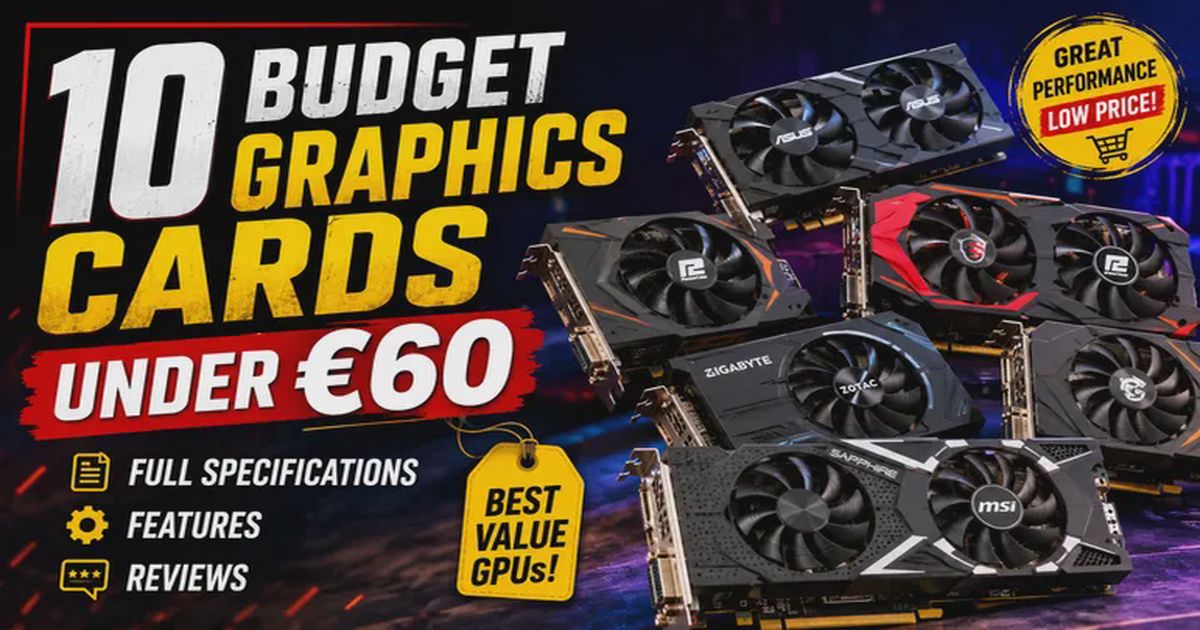
Graphics cards (GPUs) improve image processing, video output, display support, and multimedia performance. This guide covers the best budget GPUs from NVIDIA GeForce GT, AMD Radeon R5, and other entry-level series for office work, HD video playback, HTPC use, and older PC upgrades.
Quick Comparison Table
| Sl No | Brand | Graphics Co-Processor | Model Number | Price (€) |
|---|---|---|---|---|
| 1 | maxsun | NVIDIA GeForce GT 710 | GT 710 | 57 |
| 2 | VBESTLIFE | NVIDIA GeForce GT 730 | GT 730 | 53 |
| 3 | maxsun | AMD Radeon R5 230 | R5 230 | 49 |
| 4 | QTHREE | NVIDIA GeForce 210 | GeForce 210 | 49 |
| 5 | VBESTLIFE | NVIDIA GF119 | GT 610 (GF119) | 47 |
| 6 | QTHREE | NVIDIA GeForce GT 730 | GT 730 | 45 |
| 7 | Sxhlseller | NVIDIA DDR3 Graphics Card | DDR3 GPU | 40 |
| 8 | Tonysa | PCI Express 2.0 Graphics Card | PCIe 2.0 GPU | 39 |
| 9 | VBESTLIFE | NVIDIA GeForce GT 210 | GT 210 | 37 |
| 10 | lyrlody | Graphics Card | kdap0o785f-11 | 35 |
1. Maxsun NVIDIA GeForce GT 710 2GB Low Profile Graphics Card Review
Description
The Maxsun NVIDIA GeForce GT 710 2GB is an entry-level graphics card designed primarily for office PCs, HTPCs, and older desktop systems that require dedicated video output. Powered by NVIDIA’s GK208 GPU, it features 2GB GDDR3 memory, passive fanless cooling, and a low-profile design, making it ideal for compact PCs. While it isn’t intended for modern AAA gaming, it handles multimedia playback, multiple displays, light gaming, and everyday computing efficiently.
Information
| Specification | Details |
|---|---|
| Brand | maxsun |
| Model | GT 710 2GB |
| Graphics Processor | NVIDIA GeForce GT 710 |
| GPU Architecture | GK208 |
| CUDA Cores | 192 |
| Core Clock | 954 MHz |
| Memory | 2GB GDDR3 |
| Memory Bus | 64-bit |
| Memory Clock | 1000 MHz |
| Interface | PCI Express 2.0 x16 |
| Video Outputs | HDMI, DVI-D, VGA |
| DirectX Support | DirectX 12 |
| OpenGL Support | OpenGL 4.5 |
| Cooling | Passive Fanless |
| TDP | 19W |
| Recommended PSU | 200W or higher |
| Form Factor | Low Profile |
| Included | Full-height & Low-profile Bracket |
Key Features
| Feature | Details |
|---|---|
| GPU | NVIDIA GeForce GT 710 |
| Video Memory | 2GB GDDR3 dedicated VRAM |
| Cooling | Silent passive cooling (0dB noise) |
| Form Factor | Low-profile design for SFF and HTPC builds |
| Display Outputs | HDMI, DVI-D, and VGA |
| Graphics APIs | DirectX 12 and OpenGL 4.5 compatible |
| Video Playback | Hardware-accelerated 4K video decoding |
| NVIDIA Technologies | Supports NVIDIA CUDA and PhysX |
| Multi-Monitor Support | Yes |
| Power Consumption | 19W (very low power usage) |
| External Power | No external power connector required |
| Installation | Easy installation in older desktop PCs |
Specifications
| Component | Specification |
|---|---|
| GPU | NVIDIA GK208 |
| CUDA Cores | 192 |
| Base Clock | 954 MHz |
| VRAM | 2GB GDDR3 |
| Memory Interface | 64-bit |
| Memory Speed | 1000 MHz |
| PCIe Interface | PCIe 2.0 x16 |
| HDMI | Yes |
| DVI-D | Yes |
| VGA | Yes |
| DirectX | 12 |
| OpenGL | 4.5 |
| Cooling | Passive Heatsink |
| Power Consumption | 19W |
| External Power | Not Required |
Features
| Feature | Details |
|---|---|
| Silent Operation | Completely silent operation thanks to the passive heatsink |
| Graphics Upgrade | Excellent replacement for failed integrated graphics |
| Multi-Monitor Support | Supports dual and triple monitor configurations |
| Operating System Compatibility | Compatible with Windows and Linux |
| Form Factor | Compact low-profile design for mini PCs and SFF systems |
| Best Use Cases | Suitable for office applications and home media centers |
| Video Acceleration | Hardware video acceleration improves movie playback |
| Driver Support | Stable and reliable NVIDIA driver support |
| Energy Efficiency | Low power consumption for energy-efficient operation |
| Included Accessories | Includes a low-profile mounting bracket |
Pros & Cons
Pros
- Silent fanless cooling
- Low power consumption
- Affordable price
- Easy installation
- Low-profile compatible
- Multiple display outputs
- Great for office and multimedia PCs
- Supports 4K video decoding
Cons
- Not suitable for modern AAA games
- Uses slower GDDR3 memory
- Limited 64-bit memory bus
- Older GPU architecture
- Weak gaming performance compared to modern entry-level GPUs
User Reviews
Users Like
- Quiet operation
- Reliable display output
- Perfect for office computers
- Good value for older systems
- Easy installation
Common Complaints
- Weak gaming performance
- Older technology
- Not ideal for video editing or rendering
- Slower than modern integrated graphics in some newer CPUs
Overview
The maxsun GT 710 2GB is a budget graphics card built for users who need dependable display output rather than gaming performance. It works particularly well in office desktops, home theater PCs, and older computers without integrated graphics. Its silent passive cooling, low-profile design, and minimal power requirements make it an excellent upgrade for compact systems.
If your goal is modern gaming or GPU-intensive workloads, newer GPUs such as the GTX 1650 or Radeon RX 6400 are much better options. However, for web browsing, office work, media playback, and multi-monitor support, the GT 710 remains a practical and affordable solution. View Product Details Link
Frequently Asked Questions (FAQ)
Q1. Is the GT 710 good for gaming?
Answer: It can run older and lightweight games at low settings but is not recommended for modern AAA games.
Q2. Does this graphics card require external power?
Answer: No. It draws all required power directly from the PCIe slot.
Q3. Can it play 4K videos?
Answer: Yes. It supports hardware-accelerated 4K video decoding.
Q4. Is the cooling fan noisy?
Answer: No. This model uses a passive heatsink and operates silently.
Q5. Is it compatible with small form factor PCs?
Answer: Yes. It includes a low-profile bracket for compact desktop cases.
Q6. How many monitors can it support?
Answer: Up to three displays using HDMI, DVI-D, and VGA outputs (depending on system support).
Q7. Which operating systems are supported?
Answer: Windows and most modern Linux distributions with NVIDIA drivers.
Q8. Who should buy this GPU?
Answer: Office users, HTPC builders, users replacing failed integrated graphics, and anyone needing a low-cost display adapter.
2. VBESTLIFE NVIDIA GeForce GT 730 4GB DDR3 Graphics Card
Description
The VBESTLIFE NVIDIA GeForce GT 730 is an entry-level desktop graphics card designed for office PCs, home entertainment, multimedia playback, and light gaming. It features 4GB DDR3 memory, a 128-bit memory interface, and support for DirectX 11. The card is compatible with older and modern desktop systems through the PCI Express 2.0 x16 interface and includes HDMI, DVI, and VGA outputs for connecting multiple display types.
Although it is not intended for modern AAA gaming, it is suitable for upgrading systems without integrated graphics or replacing older GPUs while providing smooth HD video playback and support for dual-monitor setups.
Information
| Specification | Details |
|---|---|
| Brand | VBESTLIFE |
| Graphics Processor | NVIDIA GeForce GT 730 |
| Graphics Memory | 4GB DDR3 |
| Memory Bus | 128-bit |
| Interface | PCI Express 2.0 x16 |
| API Support | DirectX 11 |
| Video Outputs | HDMI, DVI, VGA |
| Cooling | Active cooling with single fan |
| Recommended Use | Office PC, HTPC, Multimedia, Entry-level Gaming |
| Operating System | Windows (driver support varies by version) |
| Form Factor | Standard desktop graphics card |
Key Features
| Feature | Details |
|---|---|
| GPU | NVIDIA GeForce GT 730 |
| Graphics Memory | 4GB DDR3 dedicated VRAM |
| Memory Interface | 128-bit |
| Interface | PCI Express 2.0 x16 |
| Display Outputs | HDMI, DVI, and VGA |
| DirectX Support | DirectX 11 |
| Video Acceleration | Hardware-accelerated video decoding |
| Cooling | Quiet active cooling fan |
| HD Video Playback | Supports smooth HD video playback |
Specifications
| Component | Specification |
|---|---|
| GPU | NVIDIA GeForce GT 730 |
| Video Memory | 4GB DDR3 |
| Memory Interface | 128-bit |
| Bus Interface | PCI Express 2.0 x16 |
| DirectX | 11 |
| OpenGL | Supported |
| Cooling | Single Fan |
| Display Outputs | HDMI, DVI, VGA |
| Maximum Displays | Up to 2 |
| Power Requirement | No external PCIe power connector required |
| Recommended PSU | 300W or higher |
Features
| Feature | Details |
|---|---|
| Graphics Performance | Entry-level dedicated graphics performance |
| Video Playback | Smooth Full HD video playback |
| Multi-Monitor Support | Supports multiple monitor configurations |
| Motherboard Compatibility | Compatible with older desktop motherboards |
| Cooling | Quiet cooling solution |
| Power Consumption | Low power consumption |
| Installation | Easy installation |
| Best For | Suitable for home, office, and educational use |
| Performance Advantage | Better graphics performance than many integrated GPUs |
Pros & Cons
| Pros | Cons |
|---|---|
| Affordable price | DDR3 memory is much slower than GDDR5 |
| 4GB dedicated graphics memory | Not suitable for modern AAA games |
| Multiple display outputs | Older GPU architecture |
| Low power consumption | Limited gaming performance |
| No additional power connector needed | PCIe 2.0 interface |
| Good for office and multimedia PCs | Basic cooling system |
| Easy installation | — |
| Supports HD video playback | — |
User Reviews
Positive Feedback
- Easy to install.
- Works well for office computers.
- Good replacement for failed graphics cards.
- Multiple display outputs are useful.
- Quiet during normal operation.
- Excellent value for basic desktop use.
Common Criticisms
- Gaming performance is limited.
- DDR3 memory reduces overall speed.
- Driver installation may require downloading NVIDIA drivers.
- Not recommended for demanding graphics workloads.
Overall, users consider it a good budget graphics card for everyday computing and multimedia rather than serious gaming. Community discussions also note that GT 730 cards are primarily suited for display output, media playback, and light gaming rather than current high-end titles.
Overview
The VBESTLIFE GeForce GT 730 4GB DDR3 is an affordable graphics card for users who need a simple GPU upgrade for an older desktop computer. It offers dependable multimedia performance, multiple display connectivity, and low power consumption while remaining compatible with many legacy systems. It is best suited for office work, web browsing, video playback, and lightweight gaming rather than modern graphics-intensive applications. View Product Details Link
Frequently Asked Questions (FAQ)
Q1. Is this graphics card good for gaming?
It can handle older and lightweight games but is not recommended for modern AAA games.
Q2. Does it require an external power connector?
No. It draws power directly from the PCI Express slot.
Q3. How much VRAM does it have?
It comes with 4GB DDR3 dedicated graphics memory.
Q4. Which display ports are available?
It includes HDMI, DVI, and VGA outputs.
Q5. Does it support dual monitors?
Yes. It supports multiple display connections depending on your monitor configuration.
Q6. Is it suitable for video editing?
Only for basic video editing. Professional editing software benefits from much more powerful GPUs.
Q7. What is the recommended use?
Office work, multimedia playback, home theater PCs (HTPC), educational computers, and light gaming.
Q8. Does it support DirectX 11?
Yes. The card supports Microsoft DirectX 11.
3. Maxsun AMD Radeon R5 230 2GB Graphics Card
Description
The maxsun AMD Radeon R5 230 2GB is an entry-level dedicated graphics card designed for everyday computing, office work, multimedia playback, and multi-monitor support. It is suitable for users upgrading an older desktop PC that lacks a dedicated GPU or requires additional display outputs. Featuring 2GB GDDR3 memory, PCI Express 2.0 x16, and support for DirectX 11, it delivers smooth Full HD video playback while consuming very little power.
Product Information
| Item | Details |
|---|---|
| Brand | maxsun |
| Graphics Processor | AMD Radeon R5 230 |
| GPU Architecture | Caicos |
| Graphics Memory | 2GB GDDR3 |
| Memory Bus | 64-bit |
| Core Clock | Up to 625 MHz |
| Memory Clock | 1000 MHz |
| Stream Processors | 160 |
| Interface | PCI Express x16 2.0 |
| Display Outputs | HDMI, DVI, VGA |
| Maximum Resolution | Up to 4K (HDMI 30Hz) |
| DirectX Support | DirectX 11 |
| OpenGL Support | OpenGL 3.1 |
| Cooling | Passive silent heatsink |
| Recommended PSU | 200W or higher |
| Operating Systems | Windows 7 / 8 / 10 |
Key Features
| Feature | Details |
|---|---|
| GPU | AMD Radeon R5 230 |
| Graphics Memory | 2GB dedicated GDDR3 VRAM |
| Interface | PCI Express x16 2.0 |
| Display Outputs | HDMI, DVI, and VGA |
| DirectX Support | DirectX 11 |
| OpenGL Support | Yes |
| Cooling | Passive silent cooling (fanless) |
| HD Video Playback | Hardware-accelerated HD video decoding |
| Multi-Monitor Support | AMD Eyefinity technology |
| Power Management | AMD PowerPlay power-saving technology |
Specifications
| Specification | Details |
|---|---|
| GPU | AMD Radeon R5 230 |
| GPU Codename | Caicos |
| Manufacturing Process | 40nm |
| Stream Processors | 160 |
| Core Clock | 625 MHz |
| Memory | 2GB GDDR3 |
| Memory Bus | 64-bit |
| Memory Speed | 1000 MHz |
| Interface | PCI Express x16 2.0 |
| DirectX | 11 |
| OpenGL | 3.1 |
| Video Outputs | HDMI + DVI + VGA |
| Maximum Displays | 2 |
| Cooling | Passive Heatsink |
| Recommended PSU | 200W+ |
| Power Consumption | Approximately 15–20W |
Features
| Feature | Description |
|---|---|
| Cooling Design | Quiet fanless cooling design |
| Office Performance | Excellent for office PCs |
| Media Playback | Smooth Full HD media playback |
| Multi-Monitor Support | Supports dual-monitor productivity |
| PCIe Compatibility | Compatible with older PCIe desktop systems |
| Form Factor | Low-profile friendly for compact PCs (varies by version) |
| Video Acceleration | Hardware acceleration for HD videos |
| Power Efficiency | Energy-efficient AMD PowerPlay technology |
| Display Technology | Supports AMD Eyefinity display technology |
Pros & Cons
| Pros | Cons |
|---|---|
| Affordable entry-level graphics card | Not suitable for modern AAA gaming |
| Very low power consumption | Uses older GDDR3 memory |
| Silent passive cooling | Only 64-bit memory interface |
| Multiple display outputs | Limited 3D performance |
| Supports DirectX 11 | No hardware ray tracing |
| Good for HTPC and office PCs | Older GPU architecture |
| Easy installation | Not intended for professional graphics workloads |
| Stable multimedia performance | — |
User Reviews
Positive Feedback
- Easy installation.
- Good value for upgrading older desktops.
- Quiet operation because of passive cooling.
- Excellent for office work and media playback.
- Reliable dual-monitor support.
Common Criticisms
- Very limited gaming performance.
- Older graphics architecture.
- Memory bandwidth is relatively slow.
- Better suited for productivity than gaming.
Overview
The maxsun Radeon R5 230 2GB is an affordable graphics card aimed at users needing a simple GPU upgrade for older desktop systems. It performs well for office applications, web browsing, HD video playback, and multiple displays while consuming very little power. Although it is not designed for modern gaming or demanding creative workloads, it remains a practical option for budget office PCs, home media centers, and legacy system upgrades. View Product Details Link
Frequently Asked Questions (FAQ)
Q1. Is the Radeon R5 230 good for gaming?
No. It is suitable only for older or lightweight games at low settings.
Q2. Does it require external PCIe power?
No. It draws power directly from the PCIe slot.
Q3. Can it play 1080p videos?
Yes. It supports smooth Full HD video playback with hardware acceleration.
Q4. Does it support dual monitors?
Yes. It supports multiple displays through HDMI, DVI, and VGA outputs.
Q5. Is it compatible with Windows 10?
Yes. It supports Windows 7, Windows 8/8.1, and Windows 10.
Q6. Does it support DirectX 11?
Yes.
Q7. Is this card suitable for video editing?
It can handle basic editing but is not recommended for professional or GPU-intensive editing.
Q8. Who should buy this graphics card?
Users looking to upgrade an older desktop for office work, multimedia playback, or multiple monitor support at a low cost.
4. QTHREE NVIDIA GeForce 210 Graphics Card (1GB DDR3, Low Profile)
Description
The QTHREE NVIDIA GeForce 210 is an affordable entry-level graphics card designed for older desktop PCs that need basic display output or a simple graphics upgrade. Featuring 1GB DDR3 memory, a 64-bit memory interface, and PCI Express x16 connectivity, it is ideal for office work, web browsing, video playback, HTPCs, and dual-monitor setups.
Its low-profile design makes it suitable for compact desktop computers and slim PC cases. While it is not intended for modern AAA gaming, it can comfortably handle multimedia playback, older games, and everyday computing tasks.
Information
| Feature | Details |
|---|---|
| Brand | QTHREE |
| Graphics Processor | NVIDIA GeForce 210 |
| Model | LC-G210-1G |
| Graphics Memory | 1GB DDR3 |
| Memory Interface | 64-bit |
| GPU Clock | 589 MHz |
| Memory Clock | Up to 1066 MHz |
| Interface | PCI Express x16 (PCIe 2.0 compatible) |
| Outputs | HDMI, DVI, VGA |
| Maximum Resolution | 2560 × 1600 |
| Cooling | Single Fan |
| Form Factor | Low Profile |
| External Power | Not Required |
| Operating Systems | Windows XP, Vista, 7, 8, 10 (Windows 11 support is not officially listed) |
Key Features
| Specification | Details |
|---|---|
| GPU | NVIDIA GeForce 210 |
| Graphics Memory | 1GB DDR3 dedicated VRAM |
| Memory Bus | 64-bit |
| Interface | PCI Express x16 |
| Form Factor | Low-profile (bracket included) |
| Display Outputs | HDMI, DVI, VGA |
| Multi-Monitor Support | Supports dual-monitor configuration |
| Power Consumption | Low power consumption |
| Installation | Plug-and-play installation |
| Cooling | Quiet single-fan cooling |
| Recommended Use | Office PCs and Home Theater PCs (HTPCs) |
Specifications
| Specification | Details |
|---|---|
| GPU | NVIDIA GeForce 210 |
| Model Name | LC-G210-1G |
| GPU Architecture | Tesla |
| Video Memory | 1GB DDR3 |
| Memory Bus | 64-bit |
| Core Clock | 589 MHz |
| Memory Speed | Up to 1066 MHz |
| Graphics Interface | PCI Express x16 |
| HDMI | Yes |
| DVI | Yes |
| VGA | Yes |
| Maximum Resolution | 2560×1600 |
| Multi Monitor Support | Up to 2 Displays |
| Cooling | Active Fan |
| Power Connector | None Required |
| Low Profile | Yes |
| Included Accessories | Graphics Card, Low Profile Brackets, Driver CD, User Manual |
Features
| Feature | Details |
|---|---|
| Form Factor | Compact low-profile PCB for SFF (Small Form Factor) desktops |
| HD Video Playback | Smooth HD video playback |
| Compatibility | Good compatibility with older desktop systems |
| Display Support | Supports HDMI, VGA, and DVI displays |
| Replacement Use | Excellent replacement for failed onboard graphics |
| Cooling | Quiet cooling solution |
| Recommended Use | Suitable for multimedia, office applications, and light photo editing |
| Installation | Easy installation without additional power cables |
Pros & Cons
Pros
- Very affordable
- Low power usage
- No external power connector needed
- Supports multiple display outputs
- Compact low-profile design
- Easy installation
- Good for office and multimedia PCs
- Reliable replacement for integrated graphics
Cons
- Not suitable for modern gaming
- Only 1GB DDR3 VRAM
- Older GPU architecture
- Limited driver support for newer operating systems
User Reviews
What users like
- Easy to install
- Excellent value for old desktop upgrades
- Works well for office PCs
- Good display quality
- Reliable replacement for damaged graphics cards
- Quiet operation
Common complaints
- Very limited gaming performance
- Outdated GPU architecture
- Older driver support
Overview
The QTHREE GeForce 210 is a budget graphics card best suited for users who need reliable display output on older desktop computers. It offers basic graphics acceleration, supports up to two monitors, and provides HDMI, DVI, and VGA connectivity. Its low-profile form factor and low power requirements make it a practical choice for office systems, media centers, and replacing failed integrated graphics. However, it is not designed for modern gaming or demanding creative workloads. View Product Details Link
Frequently Asked Questions (FAQ)
Q1. Is the QTHREE GeForce 210 good for gaming?
No. It is intended for basic computing, multimedia, and older games rather than modern AAA titles.
Q2. Does it require an external power connector?
No. The card is powered directly through the PCI Express slot.
Q3. How much memory does it have?
It includes 1GB DDR3 dedicated graphics memory.
Q4. Which display ports are available?
It provides HDMI, DVI, and VGA outputs.
Q5. Can it support dual monitors?
Yes. It supports up to two displays simultaneously.
Q6. Is it suitable for small form factor PCs?
Yes. It includes a low-profile bracket and is designed for compact desktop systems.
Q7. What is the maximum supported resolution?
Up to 2560 × 1600.
Q8. Is Windows 11 officially supported?
The manufacturer officially lists support up to Windows 10; Windows 11 compatibility is not officially specified.
5. VBESTLIFE NVIDIA GF119 (GT 610) 1GB DDR3 Graphics Card Review
Description
The VBESTLIFE GT 610 (GF119) is an entry-level PCI Express graphics card designed for office PCs, home multimedia systems, and older desktop computers that lack integrated graphics. It features 1GB DDR3 memory, the NVIDIA GF119 (GeForce GT 610) GPU, and supports HDMI, DVI, and VGA outputs for connecting multiple display types. The card includes an active cooling fan for stable operation while remaining relatively quiet. It is suitable for HD video playback, web browsing, office work, and light legacy gaming rather than modern AAA titles.
Information
| Feature | Details |
|---|---|
| Brand | VBESTLIFE |
| GPU | NVIDIA GeForce GT 610 (GF119) |
| Graphics Memory | 1GB DDR3 |
| Memory Bus | 64-bit |
| Memory Frequency | 1800 MHz |
| Core Clock | 810 MHz |
| Interface | PCI Express x16 2.0 |
| Cooling | Active Cooling Fan |
| Video Outputs | HDMI, DVI, VGA |
| DirectX Support | DirectX 11 |
| OpenGL Support | OpenGL 4.6 |
| CUDA Support | Yes |
| Recommended Use | Office, Multimedia, HTPC, Legacy Games |
Key Features
| Specification | Details |
|---|---|
| GPU | NVIDIA GeForce GT 610 (GF119) |
| Graphics Memory | 1GB DDR3 dedicated VRAM |
| Memory Interface | 64-bit |
| Interface | PCI Express 2.0 x16 |
| Display Outputs | HDMI, DVI, and VGA |
| Cooling | Quiet active cooling fan |
| HD Video Playback | Supported |
| Form Factor | Compact design for most desktop PCs |
| Power Consumption | Low power consumption |
| Installation | Easy plug-and-play installation for older systems |
Specifications
| Specification | Details |
|---|---|
| Graphics Processor | NVIDIA GF119 |
| GPU Model | GeForce GT 610 |
| CUDA Cores | 48 |
| Core Clock | 810 MHz |
| Memory Capacity | 1GB DDR3 |
| Memory Bus Width | 64-bit |
| Memory Speed | 1800 MHz |
| Interface | PCIe x16 2.0 |
| Outputs | HDMI ×1, DVI ×1, VGA ×1 |
| DirectX | 11 |
| OpenGL | 4.6 |
| Cooling | Single Fan |
| Power Connector | None Required |
| Recommended PSU | 300W or higher |
Features
| Feature | Details |
|---|---|
| Full HD Video Playback | Delivers smooth Full HD video playback. |
| Multi-Monitor Support | Supports multiple monitor configurations. |
| Legacy PC Compatibility | Compatible with older desktop PCs. |
| Low Power Consumption | Low-profile power requirements without external power connectors. |
| Quiet Cooling | Quiet cooling fan keeps temperatures under control. |
| Office Productivity | Suitable for office productivity software. |
| Onboard Graphics Replacement | Good choice for replacing failed onboard graphics. |
| NVIDIA CUDA Support | Supports NVIDIA CUDA acceleration for supported applications. |
| Durable Construction | Stable PCB construction for long-term use. |
Pros & Cons
Pros
- Affordable entry-level graphics card
- Very low power consumption
- Easy installation
- HDMI, DVI and VGA outputs
- Quiet cooling fan
- Good for multimedia playback
- Compatible with many older PCs
Cons
- Not suitable for modern gaming
- Only 1GB DDR3 VRAM
- Limited 64-bit memory bandwidth
- Older Fermi architecture
- No hardware support for modern graphics technologies
User Reviews
Positive Feedback
- Easy to install.
- Works well for office computers.
- Good replacement for failed integrated graphics.
- Quiet during everyday use.
- Handles HD video playback without issues.
Common Criticisms
- Very limited gaming performance.
- Outdated GPU architecture.
- Not ideal for video editing or 3D rendering.
- Some users expected higher performance due to the GT branding. Community discussions also note that GF119-based cards are often mistaken for newer models, so buyers should verify the exact GPU model.
Overview
The VBESTLIFE GT 610 (GF119) is a budget graphics card intended for basic computing rather than gaming. It provides reliable display output through HDMI, DVI, and VGA while consuming very little power. For users upgrading an older office PC, home theater PC, or replacing a faulty graphics adapter, it offers an inexpensive solution. However, users looking for modern gaming, creative workloads, or GPU-intensive applications should consider newer graphics cards with significantly higher performance. View Product Details Link
Frequently Asked Questions (FAQ)
Q1. Is the VBESTLIFE GT 610 good for gaming?
A: Only for older or lightweight games. It is not recommended for modern AAA games.
Q2. Does it require an external power connector?
A: No. The card is powered directly through the PCI Express slot.
Q3. What display outputs are available?
A: HDMI, DVI, and VGA.
Q4. Can it play Full HD videos?
A: Yes. It supports smooth 1080p video playback.
Q5. Is it compatible with Windows 10 and Windows 11?
A: Yes, with compatible NVIDIA drivers.
Q6. Does it support dual monitors?
A: Yes. Multiple display outputs allow multi-monitor setups.
Q7. Is this card suitable for video editing?
A: Only for basic editing. Professional editing software benefits from much more powerful GPUs.
Q8. Who should buy this graphics card?
A: Users needing an inexpensive graphics solution for office work, web browsing, media playback, or upgrading an older desktop PC.
6. QTHREE NVIDIA GeForce GT 730 4GB DDR3 Graphics Card Review
Description
The QTHREE NVIDIA GeForce GT 730 is an affordable entry-level desktop graphics card designed for everyday computing, multimedia playback, office work, and older or lightweight PC games. Featuring 4GB of DDR3 memory and PCI Express 2.0 support, it provides an inexpensive upgrade for older desktop computers that lack dedicated graphics.
The card offers HDMI, DVI, and VGA outputs, making it suitable for connecting modern and legacy monitors. Its low power consumption means most systems can run it without requiring an external power connector. It is best suited for HTPCs, business PCs, educational systems, and users looking for multiple display support rather than demanding AAA gaming.
Information
| Specification | Details |
|---|---|
| Brand | QTHREE |
| Model | GT 730 |
| GPU | NVIDIA GeForce GT 730 |
| GPU Architecture | Kepler |
| Graphics Memory | 4GB DDR3 |
| Memory Interface | 64-bit |
| Interface | PCI Express 2.0 x16 |
| DirectX Support | DirectX 11 |
| OpenGL Support | OpenGL 4.x |
| Outputs | HDMI, DVI, VGA |
| Maximum Resolution | Up to 2560 × 1600 |
| Multi-Monitor Support | Yes |
| Cooling | Active Cooling Fan |
| External Power Required | No |
| Operating Systems | Windows 7/8/10/11 |
Key Features
| Feature | Details |
|---|---|
| GPU | NVIDIA GeForce GT 730 |
| Graphics Memory | 4GB dedicated DDR3 graphics memory |
| Interface | PCI Express 2.0 x16 |
| Display Outputs | HDMI, DVI, and VGA |
| Multi-Monitor Support | Supports dual or multiple monitor setups |
| DirectX Support | DirectX 11 compatible |
| Video Acceleration | Hardware-accelerated video decoding and playback |
| Cooling | Quiet active cooling fan |
| Power Consumption | Low power consumption |
| Installation | Plug-and-play installation in most desktop PCs |
Specifications
| Feature | Details |
|---|---|
| Graphics Processor | NVIDIA GeForce GT 730 |
| CUDA Cores | 384 |
| Memory Capacity | 4GB |
| Memory Type | DDR3 |
| Memory Bus | 64-bit |
| Core Clock | Up to 902 MHz |
| Interface | PCI Express 2.0 x16 |
| Display Connectors | HDMI, DVI, VGA |
| Maximum Resolution | 2560 × 1600 |
| DirectX | DirectX 11 |
| OpenGL | OpenGL 4.x |
| Cooling | Single Fan |
| Recommended PSU | 300W or higher |
| Power Connector | None Required |
Features
| Feature | Details |
|---|---|
| Full HD Video Playback | Smooth Full HD (1080p) video playback for multimedia and streaming |
| Hardware Video Decoding | Hardware-accelerated video decoding for reduced CPU usage |
| Multi-Display Support | Supports multiple monitor configurations for improved productivity |
| Easy Installation | Simple PCIe installation with plug-and-play compatibility |
| Low-Profile Design | Includes low-profile compatibility for compact desktop cases |
| Quiet Cooling | Quiet active cooling system for low-noise operation |
| Low Power Consumption | Energy-efficient design with low power usage |
| Legacy PC Compatibility | Excellent compatibility with older desktop PCs and systems |
| Office Productivity | Ideal for office applications, web browsing, and everyday computing |
Pros & Cons
Pros
- Affordable price
- 4GB dedicated graphics memory
- Multiple display outputs
- No external power connector required
- Low power consumption
- Easy installation
- Good for multimedia and office PCs
- Works well in older desktop systems
Cons
- DDR3 memory is relatively slow
- Not suitable for modern AAA games
- Limited gaming performance
- Older GPU architecture
- 64-bit memory interface limits bandwidth
User Reviews
Users Like
- Easy to install
- Good value for money
- Quiet during operation
- Reliable for office PCs
- Excellent for adding HDMI support to older desktops
- Smooth video playback
Common Complaints
- Not designed for heavy gaming
- DDR3 memory limits performance
- Older technology compared with modern entry-level GPUs
- Performance varies depending on the specific GT 730 variant
Overview
The QTHREE GeForce GT 730 is an excellent budget graphics card for users upgrading older desktop computers. It delivers reliable video playback, supports multiple monitors, and handles everyday computing tasks with ease. Although it cannot compete with modern gaming GPUs, it remains a practical solution for office work, HTPC builds, educational systems, and casual gaming on older titles.
If your goal is affordable graphics output rather than high-end gaming performance, the GT 730 offers good value for its price.View Product Details Link
Frequently Asked Questions (FAQ)
Q1. Is the GT 730 good for gaming?
Yes, for older and lightweight games. It is not recommended for modern AAA games.
Q2. Does this graphics card require external power?
No. It draws power directly from the PCI Express slot.
Q3. Can it support multiple monitors?
Yes. The card supports HDMI, DVI, and VGA outputs for multi-monitor setups.
Q4. What DirectX version does it support?
It supports DirectX 11.
Q5. Is this card suitable for video editing?
It is suitable for basic video editing and multimedia work but not for professional 4K editing.
Q6. What power supply is recommended?
A quality 300W or higher PSU is generally sufficient.
Q7. Is it compatible with Windows 11?
Yes, with the appropriate NVIDIA drivers.
Q8. Who should buy this graphics card?
Users looking for an inexpensive graphics upgrade for office PCs, home computers, HTPCs, or older desktop systems.
7. Sxhlseller NVIDIA DDR3 Graphics Card (1GB DDR3, PCI Express 2.0 x16)
Description
The Sxhlseller NVIDIA DDR3 Graphics Card is an entry-level PCI Express graphics card designed for office computers, multimedia playback, and older desktop PCs that need dedicated display outputs. Based on the NVIDIA GT210 architecture, it features 1GB DDR3 memory, a 64-bit memory interface, and a 589MHz GPU core clock. It includes HDMI, DVI, and VGA outputs, making it compatible with both modern and legacy monitors.
This graphics card is intended for users who need reliable display performance for web browsing, office work, Full HD video playback, HTPCs, or replacing a failed integrated GPU. It is not recommended for modern AAA gaming or professional 3D workloads.
Information
| Item | Details |
|---|---|
| Product Name | Sxhlseller NVIDIA DDR3 Graphics Card |
| GPU | NVIDIA GT210 Architecture |
| Graphics Memory | 1GB DDR3 |
| Memory Interface | 64-bit |
| GPU Clock | 589 MHz |
| Memory Clock | 500 MHz |
| Interface | PCI Express 2.0 x16 |
| Display Outputs | HDMI, DVI, VGA |
| Cooling | Active Cooling Fan |
| DirectX Support | DirectX 10.1 |
| OpenGL Support | OpenGL 3.1 |
| Power Consumption | Around 30W |
| External Power Required | No |
| Best For | Office PCs, Multimedia, HTPC, Older Systems |
Key Features
| Feature | Details |
|---|---|
| Dedicated Graphics Memory | 1GB DDR3 VRAM |
| GPU Architecture | NVIDIA GeForce GT 210 |
| Interface | PCI Express 2.0 x16 |
| Display Outputs | HDMI, DVI, and VGA |
| Multi-Monitor Support | Supports dual-monitor setups |
| Cooling | Quiet active cooling fan |
| Power Consumption | Approximately 30W (low power) |
| Video Acceleration | Hardware-accelerated video decoding |
| Multimedia Support | Full HD video playback |
| Compatibility | Compatible with older desktop computers |
| Installation | Easy plug-and-play installation |
| External Power | No external PCIe power connector required |
Specifications
| Specification | Details |
|---|---|
| GPU | NVIDIA GT210 |
| CUDA Cores | 16 |
| GPU Clock | 589 MHz |
| Memory Size | 1GB |
| Memory Type | DDR3 |
| Memory Bus | 64-bit |
| Memory Clock | 500 MHz |
| Interface | PCI Express 2.0 x16 |
| Cooling | Active Fan |
| Outputs | HDMI, DVI, VGA |
| Maximum Resolution | Up to 2560 × 1600 (HDMI/DVI) |
| DirectX | 10.1 |
| OpenGL | 3.1 |
| TDP | Approx. 30W |
| Recommended PSU | 250W or higher |
| Operating Systems | Windows, Linux |
Features
| Feature | Description |
|---|---|
| Smooth Full HD Video Playback | Delivers smooth playback of Full HD (1080p) videos for entertainment and streaming. |
| Legacy VGA Support | Compatible with older VGA monitors for legacy system compatibility. |
| HDMI Output | Supports HDMI connectivity for modern TVs and monitors with digital audio and video. |
| DVI Output | Provides DVI output for digital monitors with sharp image quality. |
| Stable Everyday Performance | Offers reliable performance for web browsing, office work, and daily computing tasks. |
| Compact Design | Low-profile, compact design fits many older and small desktop PCs. |
| Quiet Cooling | Active cooling system operates with minimal noise during normal use. |
| Low Heat Generation | Power-efficient design helps reduce heat output. |
| Energy Efficient | Low power consumption makes it suitable for systems with modest power supplies. |
| Hardware Video Acceleration | Supports hardware-accelerated video decoding for smoother multimedia playback. |
| Multi-Display Support | Connect multiple displays to improve productivity and multitasking. |
| Ideal Replacement GPU | A practical upgrade or replacement for aging or failed graphics cards. |
Pros & Cons
Pros
- Affordable entry-level graphics card
- HDMI, DVI and VGA outputs included
- Very low power consumption
- No additional power connector needed
- Easy installation
- Quiet cooling fan
- Great for office work and multimedia
- Works well with older PCs
Cons
- Not suitable for modern gaming
- Only 1GB DDR3 VRAM
- Older DirectX 10.1 architecture
- Limited 3D rendering performance
- No hardware ray tracing
- Unsuitable for video editing or CAD
User Reviews
What users like
- Easy to install
- Good display quality
- Stable performance
- Quiet operation
- Excellent value for upgrading older computers
- Works well for dual-monitor setups
Common complaints
- Too slow for modern games
- Limited graphics performance
- Older GPU architecture
- Only suitable for basic computing
Community feedback generally recommends this card for replacing failed graphics hardware or adding display outputs to older PCs rather than gaming.
Overview
The Sxhlseller NVIDIA DDR3 Graphics Card is a budget-friendly GPU aimed at users who need dependable display performance instead of gaming power. Featuring 1GB DDR3 memory, 589MHz core clock, and HDMI, DVI, and VGA connectivity, it is well suited for office computers, home media centers, and older desktop systems.
If your goal is web browsing, office productivity, Full HD video playback, or driving multiple displays, this card offers a simple and inexpensive solution. However, users looking to play modern games or run GPU-intensive software should consider a newer graphics card. View Product Details Link
Frequently Asked Questions (FAQ)
Q1. Is this graphics card good for gaming?
No. It is designed primarily for office work, multimedia, and older games.
Q2. Does it require an external power connector?
No. It draws power directly from the PCI Express slot.
Q3. Can it support two monitors?
Yes. It supports multiple displays through HDMI, DVI, and VGA outputs.
Q4. Does it support Full HD video?
Yes. It supports smooth 1080p video playback.
Q5. Which interface does it use?
PCI Express 2.0 x16.
Q6. Is it compatible with Windows 11?
It may work with compatible NVIDIA legacy drivers, although driver support is limited because of the GPU’s age.
Q7. Is this suitable for video editing?
Only for very basic editing. It is not recommended for professional video editing.
Q8. Who should buy this card?
Users upgrading an old desktop, replacing a failed graphics card, or needing additional display outputs on a budget.
8. Tonysa PCI Express 2.0 Graphics Card (B0BRQ4LLGB)
Description
The Tonysa PCI Express 2.0 Graphics Card is an entry-level dedicated GPU designed to upgrade older desktop PCs that lack integrated graphics or need additional display outputs. It is suitable for office work, multimedia playback, web browsing, educational use, and light graphics acceleration. The card installs into a standard PCI Express 2.0 x16 slot and provides plug-and-play compatibility with most Windows desktop systems.
It is not intended for modern AAA gaming or GPU-intensive workloads but serves as an affordable solution for replacing a failed graphics card or adding HDMI connectivity to legacy computers.
Information
| Item | Details |
|---|---|
| Product Name | Tonysa PCI Express 2.0 Graphics Card |
| Brand | Tonysa |
| ASIN | B0BRQ4LLGB |
| Interface | PCI Express 2.0 x16 |
| Cooling | Active Cooling Fan |
| Form Factor | Low Profile Compatible |
| Use Case | Office PCs, HTPC, Multimedia, Everyday Computing |
| Installation | Plug & Play |
| Display Outputs | HDMI, DVI, VGA (model dependent) |
| DirectX Support | DirectX Compatible |
| Operating Systems | Windows (varies by driver support) |
Key Features
| Feature | Details |
|---|---|
| Interface | PCI Express 2.0 x16 |
| Cooling System | Active cooling fan for stable operation |
| Display Outputs | HDMI, DVI, and VGA |
| Video Support | HD video playback support |
| Design | Compact low-profile friendly design |
| Compatibility | Suitable for older desktop PCs |
| Installation | Plug-and-play installation |
| Power Consumption | Low power consumption |
| Noise Level | Quiet operation |
| Usage | Budget-friendly graphics upgrade |
Specifications
| Specification | Details |
|---|---|
| Brand | Tonysa |
| ASIN | B0BRQ4LLGB |
| Graphics Type | Entry-Level Dedicated Graphics Card |
| Bus Interface | PCI Express 2.0 x16 |
| Cooling Type | Active Fan |
| Video Outputs | HDMI + DVI + VGA (varies by revision) |
| Maximum Resolution | Up to 2560 × 1600 (depending on output) |
| DirectX Support | Yes |
| OpenGL Support | Yes |
| Form Factor | Low Profile |
| Installation | Plug & Play |
| Usage | Office, Multimedia, HTPC |
| Power Requirement | Low Power, No External PCIe Connector |
Features
| Feature | Description |
|---|---|
| Improved Desktop Performance | Delivers smoother desktop performance compared to basic integrated graphics solutions. |
| Multi-Display Support | Supports dual-monitor or multi-display configurations (depending on the specific model). |
| HD Video Acceleration | Provides hardware acceleration for HD video playback and multimedia tasks. |
| Compact Design | Compact form factor suitable for small form factor and space-limited desktop PCs. |
| Active Cooling | Includes stable active cooling for reliable continuous operation. |
| Easy Installation | Simple installation into standard PCIe expansion slots. |
| Office PC Upgrade | Ideal replacement graphics solution for upgrading older office computers. |
| Multimedia Support | Compatible with common multimedia applications and everyday productivity workloads. |
Pros & Cons
Pros
- Affordable price
- Easy to install
- Low power consumption
- Multiple display outputs
- Quiet cooling fan
- Suitable for office and multimedia PCs
- Good replacement for failed legacy graphics cards
Cons
- Not suitable for modern gaming
- Limited graphics performance
- Older PCIe 2.0 interface
- Basic video editing performance
- Driver support may vary depending on operating system
User Reviews
Positive Feedback
- Easy installation.
- Good value for older desktop upgrades.
- Works well for office tasks.
- Reliable HDMI output for monitors and TVs.
- Quiet cooling fan.
Common Complaints
- Performance is insufficient for modern games.
- Documentation is minimal.
- Some users may need to install drivers manually.
- Build quality is considered basic compared to premium brands.
Overview
The Tonysa PCI Express 2.0 Graphics Card is an inexpensive graphics solution aimed at users who need a simple display adapter rather than gaming performance. It works well for business PCs, home office computers, media playback, and replacing faulty graphics cards in older systems. Its low power requirements, active cooling, and multiple display outputs make it a practical option for budget desktop upgrades, though it is not designed for demanding graphics workloads. View Product Details Link
Frequently Asked Questions (FAQ)
Q1. Is this graphics card good for gaming?
No. It is intended for office work, multimedia playback, and basic computing rather than modern gaming.
Q2. Does it require an external power connector?
No. It operates using power supplied through the PCI Express slot.
Q3. Can it support dual monitors?
Yes. Multiple display outputs allow dual-monitor setups, depending on the specific model.
Q4. Is it compatible with Windows 10 and Windows 11?
Yes, provided compatible drivers are available for the installed GPU chipset.
Q5. Does it support HDMI output?
Yes. HDMI is included on most versions of this graphics card.
Q6. Is it suitable for video editing?
Only for light editing and media playback. Professional video editing requires a more powerful GPU.
Q7. Can it replace integrated graphics?
Yes. It is designed as an entry-level dedicated graphics solution for desktops.
Q8. Who should buy this graphics card?
Users looking for an inexpensive graphics upgrade for office PCs, HTPCs, educational computers, or older desktop systems.
9. VBESTLIFE NVIDIA GeForce GT 210 Graphics Card Review
Description
The VBESTLIFE NVIDIA GeForce GT 210 is an entry-level dedicated graphics card designed for basic desktop upgrades, multimedia usage, and replacing older integrated graphics solutions. It is suitable for users who need additional display support, smoother HD video playback, and improved graphics output on older PCs.
This compact PCI Express graphics card is ideal for office computers, home entertainment systems, and legacy desktop builds where low power consumption and compatibility are more important than gaming performance.
Information
| Specification | Details |
|---|---|
| Brand | VBESTLIFE |
| Graphics Processor | NVIDIA GeForce GT 210 |
| Model | GT 210 |
| GPU Architecture | NVIDIA Tesla |
| Interface | PCI Express x16 |
| Graphics Memory | DDR2 / DDR3 (varies by model) |
| Video Outputs | HDMI / DVI / VGA (varies by version) |
| DirectX Support | DirectX 10.1 |
| Cooling | Passive or small fan cooling (depends on model) |
| Usage | Office, multimedia, basic display upgrade |
| Price Range | Around €37 |
Key Features
| Feature | Description |
|---|---|
| Entry-Level Graphics | Provides a basic NVIDIA dedicated graphics solution for everyday computing tasks. |
| Compatibility | Designed to work with older desktop computers and legacy PC systems. |
| Multi-Display Support | Supports multiple display outputs for dual-monitor or multi-screen setups (model dependent). |
| Low Power Consumption | Efficient design that requires less power and generates less heat. |
| HD Video Acceleration | Offers hardware acceleration for smoother HD video playback and multimedia tasks. |
| Installation Interface | Easy installation through a standard PCI Express slot. |
| Compact Design | Small form factor suitable for compact and small PC cases. |
| Graphics Replacement | A practical replacement option for damaged or unavailable onboard graphics. |
Specifications
| Specification | Details |
|---|---|
| GPU | NVIDIA GeForce GT 210 |
| CUDA Cores | 16 CUDA Cores |
| Memory Type | DDR2 / DDR3 |
| Memory Interface | 64-bit |
| PCI Interface | PCI Express x16 |
| DirectX Version | 10.1 |
| OpenGL Support | OpenGL 3.3 |
| Maximum Resolution | Up to 2560 × 1600 (depending on output) |
| Video Playback | HD video acceleration |
| Power Consumption | Low power (~30W) |
| Recommended PSU | 300W or higher system PSU |
Features
Basic Graphics Upgrade
The GT 210 provides a dedicated graphics processor that can improve display performance compared to older integrated graphics.
Multi Display Support
Depending on the model version, users can connect monitors through HDMI, DVI, or VGA outputs.
Low Power Operation
The card consumes very little power, making it suitable for older office PCs.
Multimedia Support
Supports HD video playback and basic multimedia applications.
Easy Installation
Works with standard PCI Express x16 desktop motherboard slots.
Pros & Cons
| Pros | Cons |
|---|---|
| Affordable graphics upgrade | Not suitable for modern gaming |
| Low power consumption | Very limited graphics performance |
| Supports multiple display outputs | Old NVIDIA architecture |
| Compatible with older PCs | Limited DirectX support |
| Compact design | Not recommended for video editing or 3D applications |
| Easy PCI Express installation | — |
User Reviews
Users generally choose the VBESTLIFE NVIDIA GeForce GT 210 because of its low price and compatibility with older desktop systems.
Common Positive Feedback
- Works well for replacing failed onboard graphics.
- Easy installation and driver setup.
- Good for office work and basic multimedia.
- Provides additional monitor connectivity.
Common Negative Feedback
- Performance is too low for gaming.
- Older GPU technology.
- Limited usefulness on modern computers.
Overview
The VBESTLIFE NVIDIA GeForce GT 210 is a budget-friendly graphics card mainly designed for basic computing needs. It is not a gaming GPU, but it can be a practical solution for older desktop computers that need a dedicated graphics card.
For office applications, web browsing, HD video playback, and additional monitor support, the GT 210 can still perform adequately. However, users looking for gaming, AI workloads, video editing, or modern graphical applications should consider newer entry-level GPUs. View Product Details Link
Frequently Asked Questions (FAQ)
Q1. Is VBESTLIFE GT 210 good for gaming?
No. The NVIDIA GeForce GT 210 is an outdated entry-level GPU and is not suitable for modern gaming.
Q2. Does this graphics card support HDMI output?
Yes, many GT 210 models include HDMI output, but ports depend on the specific VBESTLIFE version.
Q3. Can I install GT 210 on any desktop PC?
It requires a motherboard with an available PCI Express x16 slot.
Q4. How much power does GT 210 consume?
The GT 210 is a low-power graphics card and typically consumes around 30 watts.
Q5. Is GT 210 better than integrated graphics?
It can improve display output and compatibility on older systems, but modern integrated graphics are often faster.
Q6. Can I use GT 210 for video editing?
It is not recommended for professional video editing because of its limited performance and outdated architecture.
Q7. Which operating systems support NVIDIA GT 210?
It supports Windows versions with compatible NVIDIA drivers, including older Windows editions.
10. Lyrlody GT210 1GB DDR3 Graphics Card (Model: kdap0o785f-11)
Description
The Lyrlody GT210 1GB DDR3 Graphics Card (kdap0o785f-11) is an entry-level dedicated graphics card designed for basic desktop upgrades, office computers, multimedia usage, and replacing older integrated graphics solutions. It is based on the NVIDIA GeForce GT 210 GPU architecture and includes 1GB DDR3 video memory with a 64-bit memory interface.
This graphics card provides multiple display outputs including HDMI, DVI, and VGA, making it suitable for older PCs requiring additional monitor support. It uses a PCI Express interface for easy installation in compatible desktop systems.
Information
| Specification | Details |
|---|---|
| Brand | Lyrlody |
| Product Type | Graphics Card |
| Model Number | kdap0o785f-11 |
| GPU Model | NVIDIA GeForce GT 210 |
| Video Memory | 1GB DDR3 |
| Memory Interface | 64-bit |
| Interface | PCI Express |
| Application | Desktop PC Upgrade |
| ASIN | B0D4595HY2 |
| Cooling Type | Active Cooling Fan |
| Display Outputs | HDMI, DVI, VGA |
Key Features
| Feature | Details |
|---|---|
| Dedicated Graphics Memory | Includes 1GB DDR3 VRAM for improved display performance |
| Multi Display Support | HDMI, DVI, and VGA outputs allow connection with different monitors |
| PCI Express Interface | Compatible with standard desktop motherboards |
| Low Power Design | Suitable for older office and home computers |
| Stable Operation | Uses quality PCB components for reliable performance |
| Compact Upgrade Solution | Ideal replacement for integrated graphics |
Specifications
| Specification | Details |
|---|---|
| GPU | NVIDIA GeForce GT 210 |
| GPU Memory | 1GB DDR3 |
| Memory Bus Width | 64-bit |
| Core Frequency | Around 589 MHz |
| Memory Frequency | Up to 1000 MHz |
| Bus Interface | PCI Express |
| Video Outputs | HDMI + DVI + VGA |
| DirectX Support | DirectX 10.1 |
| Cooling | Fan Cooling |
| Recommended Usage | Office, HD Video, Basic Graphics |
Features
| Features | Details |
|---|---|
| Graphics Processor | NVIDIA GeForce GT 210 |
| Graphics Memory | 1GB DDR3 Dedicated VRAM |
| Display Support | HDMI, DVI, and VGA outputs |
| Multi-Monitor Support | Supports dual-display setups depending on system configuration |
| Interface | PCI Express compatibility for easy installation |
| PCB Design | Stable PCB design with reliable components |
| Upgrade Purpose | Suitable for upgrading older desktop computers |
| Multimedia Support | Hardware acceleration for basic multimedia applications |
| Usage | Basic computing tasks, office work, and everyday multimedia needs |
Pros & Cons
Pros
| Pros |
|---|
| Affordable graphics upgrade |
| Low power consumption |
| Supports HDMI, DVI, and VGA outputs |
| Compatible with older desktop PCs |
| Easy PCI Express installation |
| Useful for office and multimedia systems |
| Dedicated VRAM improves basic graphics performance |
Cons
| Cons |
|---|
| Very limited gaming performance |
| Old NVIDIA GT210 architecture |
| Not suitable for modern AAA games |
| Limited DirectX capability |
| Not recommended for video editing or 3D rendering |
| DDR3 memory is slower compared with modern GPUs |
User Reviews
| Review Category | User Feedback |
|---|---|
| Installation | Users generally find installation simple due to PCI Express compatibility |
| Office Use | Works well for basic office tasks, browsing, and multiple monitor setups |
| Performance | Suitable for basic graphics but not demanding applications |
| Compatibility | Good option for upgrading older PCs |
| Gaming | Not recommended for modern gaming |
Overall User Impression:
The Lyrlody GT210 is mainly appreciated as a budget replacement graphics card for old computers where basic display output and reliability are more important than performance.
Overview
The Lyrlody GT210 1GB DDR3 Graphics Card is a low-cost solution for users who need to add a dedicated GPU to an older desktop computer. With HDMI, DVI, and VGA connectivity, it provides flexible monitor support and improves basic graphics handling compared with older integrated graphics.
However, due to its outdated GT210 GPU and DDR3 memory, it is not designed for gaming, professional graphics work, or modern creative applications. It is best suited for office PCs, home computers, media playback systems, and legacy hardware upgrades. View Product Details Link
FAQ
Q1. Is Lyrlody GT210 good for gaming?
No. The GT210 is an entry-level old graphics card and is not suitable for modern games. It is designed mainly for basic display and office workloads.
Q2. How much VRAM does this graphics card have?
This model comes with 1GB DDR3 dedicated video memory.
Q3. Does it support HDMI output?
Yes. It includes HDMI, DVI, and VGA display outputs.
Q4. Can I install this graphics card in any PC?
It requires a desktop motherboard with an available PCI Express graphics slot.
Q5. Is this graphics card good for video editing?
No. It is not recommended for professional video editing or 3D applications.
Q6. What is the main purpose of this GPU?
It is mainly used for upgrading older PCs, adding display outputs, and improving basic graphics performance.
Q7. Does it need an external power connector?
No. It is designed as a low-power graphics card that usually receives power directly from the PCI Express slot.
Tarun Basu
Engineering, systems programming, and curated technology insights.