The RAM Pricing Trap Exposed - RAM purchase guide
The RAM Pricing Trap Exposed" is a consumer warning article that uncovers the counterintuitive pricing dynamics of the DDR4 RAM market
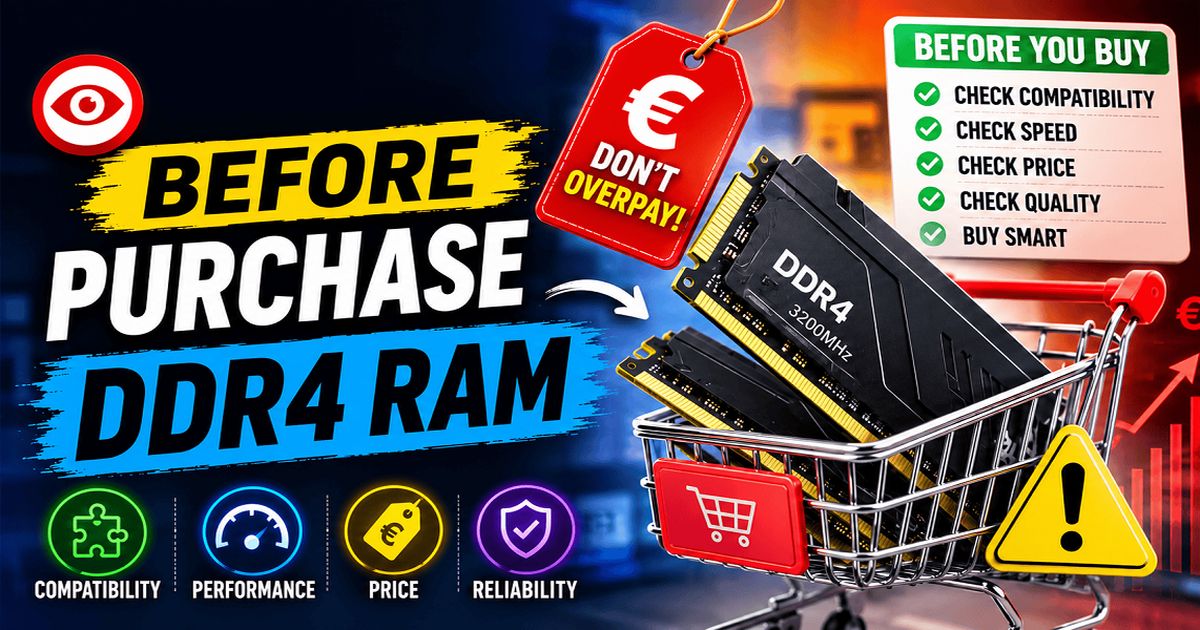
The RAM Pricing Trap Exposed: Why Spending More Might Get You Slower Memory
Think paying a higher price guarantees top-tier performance? In the wild world of DDR4 RAM, that assumption is a complete myth.
If you glance at the current market prices, you will quickly discover a bizarre, upside-down pricing reality: a higher price tag does not equal faster or better RAM. Unwary buyers are regularly paying premium prices for ancient, sluggish technology while blisteringly fast memory sits right next to it at a bargain price.
The Scandal: Slower Speeds for More Cash
Case in point: You can buy a 3200 MHz Lexar kit for €49. Yet, Timetec charges €60 for a 2133 MHz kit!
Why would anyone pay €11 more to lose ~8.6 GB/s of memory bandwidth?
-
DDR4-2133 pushes 17.0 GB/s of bandwidth.
-
DDR4-3200 pushes 25.6 GB/s of bandwidth—a massive 50% improvement in data transfer rate.
Paying €60 for 2133 MHz memory when 3200 MHz costs €49 isn’t just bad math; it’s practically throwing money out the window for lower frame rates and slower application responsiveness.
Even within the same brand, pricing logic crumbles:
-
Motoeagle sells 2133 MHz and 2400 MHz for the exact same €49.
-
Timetec charges €60 for 2133 MHz, €61 for 2666 MHz, and €68 for 3200 MHz—meaning it overcharges across every tier compared to budget-friendly alternatives like Lexar.
Why Is This Happening?
-
Legacy Inventory Gouging: Older, low-speed modules (like 2133 MHz and 2400 MHz) are no longer mass-produced in high volumes. Sellers mark them up for desperate buyers needing exact replacements for older pre-built systems.
-
The “Brand Name” Mirage: Brands like SK Hynix (€63 for 2666 MHz) or Timetec rely on brand perception to charge premium pricing, expecting buyers won’t check frequency specs.
-
Consumer Unawareness: Sellers bank on casual buyers assuming, “If it costs more, it must be better.”
The 16GB RAM Pricing Trap: Paying Premium Prices for Yesterday’s Speeds
Think shelling out over €100 for a 16GB DDR4 kit guarantees you get maximum speed and top-tier performance? Think again. The DDR4 RAM market remains rife with bizarre, upside-down pricing dynamics where paying more money often yields significantly worse performance.
Unwary buyers are regularly caught paying high prices for ancient, sluggish technology while faster modules sit on shelves for lower prices.
The Scandal: Paying Up to €15 More for Slower Speeds
The absurdity of the pricing is immediately apparent when you compare the options:
-
You can buy a 3200 MHz Timetec kit for €115.
-
Yet another 2133 MHz Timetec kit costs €116—paying €1 more for a drastic downgrade in speed!
-
Even worse, 2400 MHz (€116) and 2666 MHz (€116) kits from Yongxinsheng and Timetec cost more than the 3200 MHz (€115) option.
Why Does Speed Matter?
Memory bandwidth directly impacts system performance, frame rates in gaming, and responsiveness in heavy workloads.
-
DDR4-2133 pushes roughly 17.0 GB/s of theoretical bandwidth.
-
DDR4-3200 pushes 25.6 GB/s of bandwidth—a massive ~50% increase in data transfer capability.
Paying €116 for 2133 MHz memory when a 3200 MHz kit costs €115 isn’t just bad math—it’s actively spending extra money for worse system performance.
Why Is This Happening?
-
Legacy Inventory Markups: Low-speed modules (like 2133 MHz and 2400 MHz) are no longer mass-produced at scale. Sellers inflate prices for buyers seeking exact replacements for older pre-built systems or servers.
-
Inconsistent Brand Pricing: Brands like Timetec list 2133 MHz modules ranging anywhere from €101 to €116, taking advantage of automated pricing algorithms or varying seller inventory.
-
Consumer Unawareness: Many buyers rely on the assumption that “higher price = better quality” and neglect to check the memory frequency before clicking “Buy”.
RAM Technical Essentials: DDR Generations, Channels, Latency & BIOS
DDR4 vs. DDR5 RAM: What’s the Difference?
DDR5 is the newer generation of memory, offering higher speeds (starting at 4800 MHz up to 8000+ MHz), improved power efficiency, and higher density modules compared to DDR4 (which typically tops out at 3200–3600 MHz for mainstream builds). Note that DDR4 and DDR5 slots are physically different and not interchangeable; your motherboard and CPU must support the specific generation you buy.
Single-Channel vs. Dual-Channel RAM
- Single-Channel: Data travels along a single 64-bit path (such as when using only one RAM stick).
- Dual-Channel: Data travels along two 64-bit paths simultaneously (when using two matching RAM sticks in the correct motherboard slots). This effectively doubles your memory bandwidth, leading to significantly smoother frame rates in gaming and faster processing in memory-intensive applications.
Understanding CAS Latency (CL)
RAM latency (often measured as CAS Latency or CL, like CL16) is the delay (in clock cycles) between when a read command is issued and when the data becomes available. Lower latency means faster data retrieval. Performance is a balance of both speed (MHz) and latency (CL). For example, a 3200 MHz CL16 kit will perform better and have lower overall latency than a 3200 MHz CL22 kit.
How to Enable XMP/DOCP for Rated Speeds
By default, motherboards run RAM at basic JEDEC speeds (like 2133 MHz). To run at your RAM’s advertised speed (like 3200 MHz):
- Restart your PC and press the Delete or F2 key repeatedly to enter the BIOS/UEFI.
- Locate the setting labeled XMP (Extreme Memory Profile) on Intel systems, or DOCP/EXPO on AMD systems.
- Select Profile 1, save your settings, and reboot. Your RAM will now run at its full speed.
The Numbers Don’t Lie: The DDR4 Hall of Shame & Bargains
Look at the stark price-to-performance disconnect across actual listing data:
| Brand | Speed (MHz) | Price (€) | The Verdict | Product Link |
|---|---|---|---|---|
| Lexar | 3200 MHz | €49 | 🔥 The Steal: Maximum standard DDR4 speed for cheap | View Details |
| Motoeagle | 2133 MHz | €49 | ⚠️ The Trap: Same price as 3200 MHz, but 50% lower bandwidth | View Details |
| Motoeagle | 2400 MHz | €49 | 😐 Mediocre: Better than 2133 MHz, but still worse than Lexar | View Details |
| KAUFAST | 3200 MHz | €55 | 👍 Fair: Decent price for top-tier speed | View Details |
| Timetec | 2133 MHz | €60 | 🛑 The Ripoff: Paying €11 more for ancient 2133 MHz speed | View Details |
| Timetec | 2666 MHz | €61 | 💸 Overpriced: Mid-tier speed for high-tier money | View Details |
| SK Hynix | 2666 MHz | €63 | 🏷️ Brand Tax: Paying for name recognition, not speed | View Details |
| DIGIERA | 2666 MHz | €65 | 💸 Overpriced: Expensive for just 2666 MHz | View Details |
| Timetec | 3200 MHz | €68 | 💰 Pricey: 3200 MHz performance, but marked up by nearly €20 over Lexar | View Details |
The Numbers Don’t Lie: The 16GB DDR4 Hall of Shame & Bargains
A glance at current market listings reveals a massive price-to-performance disconnect across 16GB DDR4 memory kits:
| Brand | Speed (MHz) | Price (€) | The Verdict | Product Link |
|---|---|---|---|---|
| Timetec | 2133 MHz | €101 | ⚠️ The Trap: Cheap relative to the list, but sluggish 2133 MHz speed | View Details |
| Wlizedle | 2666 MHz | €106 | 😐 Mid-Tier: Faster than 2133 MHz for a slight bump in price | View Details |
| Netac | 2666 MHz | €106 | 😐 Mid-Tier: Matches Wlizedle in price and speed | View Details |
| Timetec | 3200 MHz | €115 | 🔥 The Best Value Here: Maximum DDR4 speed tier in this list for €115 | View Details |
| Yongxinsheng | 2666 MHz | €116 | 💸 Overpriced: Costs more than 3200 MHz while giving you less speed | View Details |
| Timetec | 2400 MHz | €116 | 💸 Overpriced: Slow 2400 MHz speed priced higher than 3200 MHz | View Details |
| Timetec | 2133 MHz | €116 | 🛑 The Ultimate Ripoff: Tied for the highest price, but dead last in speed | View Details |
Overview
Never assume that a higher price tag guarantees faster RAM.
When shopping for DDR4 RAM, 3200 MHz remains the sweet spot for bandwidth and performance. Always check the frequency specifications carefully before making a purchase—don’t pay €116 for sluggish 2133 MHz technology when faster 3200 MHz RAM can be had for less!
FAQ & Quick Buying Guide
1. How much should I pay for 16GB DDR4 RAM?
For a standard 16GB DDR4 kit (typically sold as a 2x8GB dual-channel kit), you should target a price between €45 and €65 for mainstream 3200 MHz speeds. If you see kits priced over €100 (like those in our 16GB listings table), they are severely marked up and should be avoided.
2. Where can I buy affordable 3200 MHz RAM?
Affordable 3200 MHz DDR4 RAM is widely available on major online marketplaces (such as Amazon, Mindfactory, or eBay in Europe) and specialty computer hardware retailers. Look for budget-friendly brands like Lexar, KAUFAST, or Crucial.
3. What should I look for when buying RAM?
- Generation: Ensure it matches your motherboard (DDR4 vs. DDR5). They are not cross-compatible.
- Capacity: 16GB is the modern sweet spot for general use and gaming; 32GB is recommended for heavy multitasking or content creation.
- Frequency (Speed): 3200 MHz is the standard sweet spot for DDR4.
- Latency (CL): Look for lower CAS Latency (e.g., CL16 for 3200 MHz is ideal).
- Kit Configuration: Always buy a multi-channel kit (e.g., 2x8GB instead of 1x16GB) to enable dual-channel bandwidth.
4. What brands offer the best DDR4 RAM?
Mainstream, highly reliable brands include Corsair (Vengeance series), G.Skill (Ripjaws series), Crucial, and Kingston (Fury series). Budget-friendly options like Lexar also offer excellent value for standard builds.
5. Can I use 2133 MHz RAM in a system designed for 3200 MHz?
Yes, but the system will run the memory at the lower 2133 MHz speed, severely bottlenecking your CPU’s performance. Conversely, if you mix a 2133 MHz stick with a 3200 MHz stick, both will run at 2133 MHz. Always match your RAM speeds.
6. What are the common mistakes when buying RAM?
- Paying for “Brand Name” over specs: Buying a slow module from a well-known brand at a higher price than a faster module from a budget brand.
- Buying a single stick (Single-Channel): Buying one 16GB stick instead of two 8GB sticks, which cuts your memory bandwidth in half.
- Not enabling XMP/DOCP: Forgetting to turn on the Extreme Memory Profile in your motherboard BIOS, leaving your 3200 MHz RAM running at default slower speeds (usually 2133 MHz or 2666 MHz).
- Buying legacy/outdated speeds (like 2133 or 2400 MHz) at inflated prices.
7. How to choose between different RAM brands?
Focus on specifications (speed & latency) first, then warranty/customer support and aesthetics (RGB, heatspreader design). Major brands often source their memory chips (ICs) from the same manufacturers (Samsung, SK Hynix, or Micron), so specs, price, and warranty are the true differentiators.
8. What is the best RAM for content creation?
Content creation (video editing, 3D rendering, heavy multitasking) benefits most from:
- High Capacity: At least 32GB or 64GB of RAM.
- Stability: Running at stable, standard speeds (e.g., DDR4 3200 MHz CL16 or DDR5 5600/6000 MHz).
- Dual/Quad Channel: Ensuring all memory channels are utilized for maximum throughput.
9. How does RAM speed affect multitasking?
While RAM capacity determines how many applications you can keep open at once, RAM speed (bandwidth) determines how fast data can be swapped between the processor and memory. Higher speed reduces lag, speeds up data-heavy actions (like compression or exporting), and prevents performance dips when switching between active tasks.
10. Can I mix different brands or speeds of RAM?
Yes, you can, but it is highly discouraged. Your system will automatically downclock all RAM sticks to match the speed and latency of the slowest module. Mixing different memory chips (ICs) can also lead to system instability, random crashes (Blue Screens), or failure to boot. For the best stability and performance, always buy RAM in a matched factory kit.
11. How much RAM do I actually need for gaming?
- 16GB remains the recommended sweet spot for most modern PC gaming. It easily handles mainstream games alongside running Discord and a web browser in the background.
- 32GB is increasingly recommended for modern, demanding titles (like Microsoft Flight Simulator, Alan Wake 2, or heavily modded Cities: Skylines), or if you stream your gameplay.
- 8GB is only suitable for light esports gaming or basic office use.
12. Is it better to use 2 RAM sticks or 4 RAM sticks?
Using 2 RAM sticks (dual-channel configuration) is generally better than using 4 sticks. It puts less stress on the CPU’s memory controller, allowing for easier, more stable overclocking (via XMP/DOCP). It also leaves empty slots for future upgrades. Only use 4 sticks if you need maximum capacity (like 64GB or 128GB) or if you are running a high-end desktop (HEDT) platform that supports quad-channel memory.
13. Does faster RAM actually increase FPS in games?
Yes, but the impact depends on the game and your setup. Faster RAM speeds up CPU-to-memory communication, which primarily improves your 1% low FPS (making gameplay feel much smoother with fewer micro-stutters). The FPS boost is most noticeable in CPU-bound games (like esports shooters, simulation, or strategy games) and when gaming at 1080p resolution. At 1440p or 4K, you are mostly GPU-bound, so the impact of RAM speed is minimal.
14. What is the recommended RAM for gaming laptops?
- Form Factor: Gaming laptops use SO-DIMM modules, which are physically smaller than desktop DIMM sticks. They are not interchangeable.
- Capacity: Just like desktops, 16GB (2x8GB) is the standard sweet spot, and 32GB (2x16GB) is ideal for higher-end gaming or multitasking.
- Speed: Make sure to match the maximum speed supported by your laptop’s CPU and motherboard (typically DDR4 3200 MHz or DDR5 4800/5200 MHz).
- Dual-Channel: Laptops are highly sensitive to single-channel performance drops. Never run a single RAM stick; always ensure you have two matching sticks installed.
15. How to check RAM speed and latency?
- In Windows (Task Manager): Press Ctrl + Shift + Esc to open Task Manager, go to the Performance tab, and click Memory. You will see your active running speed (e.g., “3200 MHz”) and how many slots are used.
- Using CPU-Z (Free Third-Party Tool): Download CPU-Z and check the Memory and SPD tabs. It will display your exact frequency (note: memory runs in Double Data Rate, so a 3200 MHz kit will show a DRAM Frequency of 1600 MHz in CPU-Z), CAS Latency (CL), and part number.
- In BIOS/UEFI: Restart your system and press Delete or F2 to see the hardware monitor screen showing your current memory speed and latency parameters.
Tarun Basu
Engineering, systems programming, and curated technology insights.