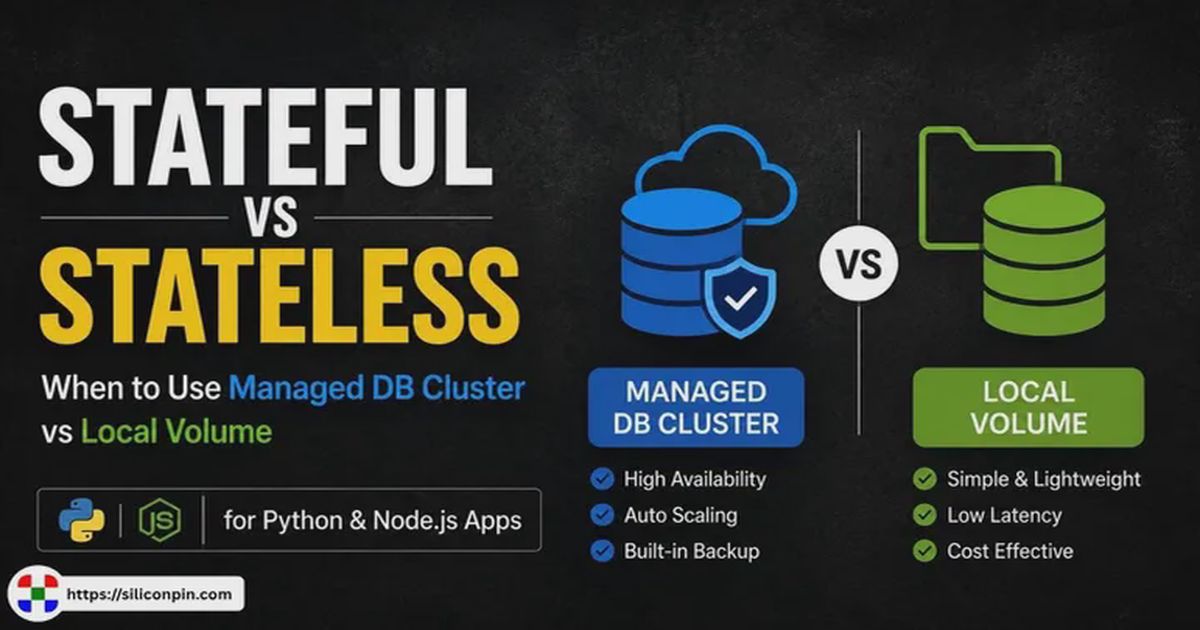
Stateful vs. Stateless: When should your Python/Node.js app use a managed database cluster vs. a local volume?
Microsecond query speed vs. 10x cloud invoice bloat: Deciding between local persistent volumes and managed database clusters for Python & Node.js.
If you’ve spent any time building backend services in Python or Node.js over the past few years, you’ve probably had the same golden rule drilled into your head: make your application stateless.
Put your code in Docker, throw it behind a load balancer, and scale container instances up or down as web traffic demands. If a worker container crashes at 3 AM, who cares? The load balancer drops it, spins up a fresh replacement, and keeps moving.
It sounds simple on paper, but state doesn’t just disappear because we put our code in containers. It just gets pushed down the stack.
Every real-world web application—whether it’s a FastAPI microservice, a Django portal, an Express API, or a Next.js app—eventually needs to read and write persistent data. User accounts, billing records, session tokens, and file uploads have to live on physical disks somewhere.
When it comes to handling that state, you essentially have two main choices:
- Keep state local: Store your database right on the host server using an attached persistent volume, host mount, or local NVMe disk with an embedded engine like SQLite or a collocated database container.
- Offload state to a network cluster: Keep your app containers completely stateless and connect over a private network (VPC) to a managed cloud database cluster (like a managed PostgreSQL or MySQL service).
For years, using a local volume for production data was looked down upon as an amateur mistake. But recent improvements in database tooling—especially SQLite’s WAL mode, Litestream for real-time streaming backups to object storage, and faster local NVMe drives—have changed the math.
So, when does a local volume actually make sense, and when should you bite the bullet and pay for a dedicated managed database cluster? Let’s walk through how both approaches work in practice.
Demystifying Stateless vs. Stateful Containers
Before comparing database setups, it helps to be clear about what happens to host file systems when containers run, restart, or scale.
┌─────────────────────────────────────────────────────────────────────────────┐
│                            STATELESS ARCHITECTURE                           │
│                                                                             │
│   Client Request ──► [ Load Balancer ]                                      │
│                            │                                                │
│              ┌─────────────┼─────────────┐                                  │
│              ▼             ▼             ▼                                  │
│         ┌─────────┐   ┌─────────┐   ┌─────────┐                             │
│         │ Python/ │   │ Python/ │   │ Python/ │ (Ephemeral Disks)           │
│         │ Node App│   │ Node App│   │ Node App│                             │
│         └────┬────┘   └────┬────┘   └────┬────┘                             │
│              └─────────────┼─────────────┘                                  │
│                            ▼ (TLS / Network VPC Connection)                 │
│                 ┌─────────────────────┐                                     │
│                 │  Managed DB Cluster │ (PostgreSQL / MySQL / Mongo)        │
│                 └─────────────────────┘                                     │
└─────────────────────────────────────────────────────────────────────────────┘

┌─────────────────────────────────────────────────────────────────────────────┐
│                             STATEFUL LOCAL VOLUME                           │
│                                                                             │
│   Client Request ──► [ Load Balancer ]                                      │
│                            │                                                │
│                            ▼                                                │
│                     ┌──────────────┐                                        │
│                     │ Python/Node  │                                        │
│                     │ App Container│                                        │
│                     └──────┬───────┘                                        │
│                            │ (Local POSIX File IO / NVMe)                   │
│                            ▼                                                │
│                     ┌──────────────┐                                        │
│                     │ Local Volume │ (SQLite / Embedded DB / Mounted Disk)  │
│                     └──────────────┘                                        │
└─────────────────────────────────────────────────────────────────────────────┘
What Happens in a Stateless Container?
In a stateless setup, your application treats compute instances as temporary, disposable workers.
- The container’s root file system is ephemeral. If you write a file to
/tmpor save a database file inside the container without mounting a host volume, that data vanishes forever the moment the container restarts or updates. - Any running worker can handle any incoming HTTP request because the application code reads and writes all persistent data to external services (like a managed database or object storage).
- Scaling is simple: if CPU usage spikes to 90%, your orchestrator spins up 5 more container replicas. When traffic drops, it kills them off without risking data loss.
What Happens in a Stateful Container?
A stateful setup ties your application directly to a persistent storage location on the host machine or attached block storage.
- When the container reboots, it mounts the exact same local directory or volume to get its data back.
- Horizontal scaling becomes tricky. If you spin up 5 separate container instances that all try to read and write to the same local database file over a shared network drive (like NFS), you’ll quickly run into file locking bugs, corrupted headers, and severe performance drops.
Advantages of Containerized Deployments with Docker
Containerizing Python and Node.js applications with Docker provides key operational advantages for modern application deployment:
- Environment Parity: Eliminates “works on my machine” bugs by bundling the exact operating system dependencies, C-libraries, Python interpreter, and Node.js runtime into an immutable container image.
- Clean Dependency Isolation: Isolates application dependencies (
node_modules, Python virtualenvs, native binary drivers) preventing host-level library conflicts during OS upgrades. - Decoupled Persistent Volumes: Decouples compute code from host disk storage. Mounting persistent host directories (
docker run -v /var/data:/app/data) ensures data remains safely persisted on host NVMe drives when container images restart or update. - Simplified Sidecar Orchestration: Using Docker Compose or container manifests allows developers to spin up application services alongside operational sidecars (like Litestream for SQLite WAL streaming or PgBouncer for PostgreSQL pooling) with zero host configuration.
- Fast and Immutable Rollbacks: If a code deployment introduces a bug, container orchestrators can instantly revert to a previously built, tagged container image in seconds.
Option A: The Local Persistent Volume Approach
With the local volume approach, your database files live on the same physical host machine (or attached block storage) as your application code.
In Python and Node.js projects, this usually means running an embedded database engine like SQLite (or DuckDB for analytics) or running a lightweight database container attached directly to a host volume mount.
# Mounting a host volume directory into an app container
docker run -d \
  -v /var/app/data:/app/data \
  -e DATABASE_URL="/app/data/production.db" \
  --name my-app my-app-image:latest
The Game Changer: Real-Time WAL Replication with Litestream
The biggest historical fear with local database files was simple: what if the server dies? If your VPS drive fails or the instance gets terminated, your database goes down with it.
Tools like Litestream solved this problem. Litestream runs as a tiny background sidecar process alongside your Python or Node.js app. It monitors SQLite’s Write-Ahead Log (WAL) file and continuously streams incremental changes to offsite S3-compatible object storage.
If your host server completely crashes, Litestream can restore the exact database state up to the last fraction of a second onto a fresh machine.
TIPZero-Downtime WAL Replication: Litestream streams SQLite WAL frames to S3 object storage asynchronously in milliseconds. Because it operates outside the application process, it introduces zero overhead to web request latency.
┌─────────────────────────────────────────────────────────────────────────────┐
│                       LOCAL VOLUME WITH LITESTREAM                          │
│                                                                             │
│   Python / Node App  ──► [ SQLite Database File (WAL Mode) ]                │
│                                      │                                      │
│                                      ▼ (Monitors WAL Changes)               │
│                            ┌───────────────────┐                            │
│                            │ Litestream Engine │                            │
│                            └─────────┬─────────┘                            │
│                                      │ (Sub-second streaming replication)   │
│                                      ▼                                      │
│                            ┌───────────────────┐                            │
│                            │ S3 Object Storage │ (Offsite Backup)           │
│                            └───────────────────┘                            │
└─────────────────────────────────────────────────────────────────────────────┘
Why Developers Love Local Volumes
1. Microsecond Query Latency
When your app queries a managed cloud database over a private network, every single SQL request carries a network round-trip penalty—usually between 1ms and 15ms.
With a local SQLite database on an NVMe disk, query response times drop to microseconds (0.01ms to 0.1ms). There are no network sockets, no TLS handshakes, and no serialization bottlenecks. For read-heavy applications, local disk queries feel instantly responsive.
2. Massively Lower Hosting Bills
Managed database services carry substantial financial premiums because you’re paying for cloud management overhead, multi-node setups, and dedicated memory allocations.
By comparison, running both your application code and an embedded database on a single Virtual Private Server (VPS) with a fast local NVMe drive delivers exceptional performance at a small fraction of the infrastructure cost.
3. Simpler Operations and Zero Network Configuration
You don’t have to manage complex Virtual Private Clouds (VPC subnets), configure security groups, manage connection pools, or worry about database port exposure. Everything happens directly inside the local file system.
Where Local Volumes Fall Short
- Single-Writer Bottlenecks: While SQLite in WAL mode allows virtually unlimited concurrent readers, it only supports one writer process at a time. If your application experiences heavy, continuous write traffic from hundreds of simultaneous connections, write requests start queuing up, causing
database is lockederrors if timeouts aren’t set properly. - Harder Horizontal Scale-Out: You cannot easily scale an application horizontally across 10 different server nodes if all 10 nodes need to write to the exact same local database file simultaneously.
- Shared Server Resources: Your application code and database share the same CPU cores and memory. If a background job in your Node.js or Python app spikes CPU usage to 100%, database query handling will slow down too.
WARNINGSingle-Writer Concurrency Limitation: SQLite in WAL mode permits unlimited concurrent readers, but only one write transaction at a time. Keep write transactions short, indexed, and wrapped in
BEGIN IMMEDIATE;to avoid write lock contention.
Production Best Practices for SQLite in Web Applications
To run SQLite reliably in a high-traffic production web service, apply these core configuration parameters and deployment best practices:
| Setting / Best Practice | Recommended Value | Operational Purpose & Benefit |
|---|---|---|
| WAL Mode | PRAGMA journal_mode=WAL; |
Replaces rollback journals with a Write-Ahead Log, allowing concurrent readers to execute without blocking writers. |
| Normal Sync | PRAGMA synchronous=NORMAL; |
Reduces fsync() call overhead in WAL mode, maintaining safety against app crashes while boosting write throughput. |
| Busy Timeout | PRAGMA busy_timeout=20000; |
Instructs connections to wait up to 20 seconds for active write locks to clear instead of throwing instant lock errors. |
| Foreign Keys | PRAGMA foreign_keys=ON; |
Enforces relational foreign key constraints (disabled by default in SQLite for backward compatibility). |
| Page Cache Size | PRAGMA cache_size=-64000; |
Allocates ~64MB of RAM per connection for page caching (negative values specify size in KiB). |
| Memory Mapping | PRAGMA mmap_size=268435456; |
Maps up to 256MB of the database file directly into virtual memory for zero-copy microsecond reads. |
| Transaction Mode | BEGIN IMMEDIATE; |
Claims a write lock immediately at the start of write transactions, preventing lock upgrade deadlocks. |
| Directory Permissions | chmod 775 /app/data |
Grants container processes write access on the parent folder so SQLite can create auxiliary -wal and -shm files. |
| Storage Medium | Local NVMe / SSD | Ensures full POSIX byte-range locking compliance. Never use network storage (NFS, SMB, CIFS, EFS). |
| Offsite Backups | Litestream Sidecar | Streams WAL frames asynchronously to S3-compatible cloud storage every few milliseconds for sub-second RPO. |
Common SQLite Runtime Errors and Diagnostic Matrix
When running SQLite in production, developers typically encounter a few specific operational errors. Use this diagnostic matrix to quickly identify root causes and resolutions:
| Error Code & Exception | Root Cause | Production Fix / Resolution |
|---|---|---|
SQLITE_BUSYdatabase is locked |
Concurrent write attempt without WAL mode or insufficient timeout. | Enable WAL mode (PRAGMA journal_mode=WAL;), set PRAGMA busy_timeout=20000;, and use short BEGIN IMMEDIATE; transactions. |
SQLITE_READONLYattempt to write a readonly database |
Process user lacks write access to the parent folder to create -wal and -shm sidecar files. |
Grant directory write permissions to container user (chmod 775 /app/data or chown -R 1000:1000 /app/data). |
SQLITE_CANTOPENunable to open database file |
Target volume directory path does not exist or volume mount is misconfigured. | Ensure startup directory initialization (os.makedirs(os.path.dirname(DB_PATH), exist_ok=True)) runs before opening DB connections. |
SQLITE_CORRUPTdatabase disk image is malformed |
Operating over network filesystems (NFS/EFS), hard power cuts during non-WAL writes, or copying active files without backup APIs. | Move database files to local host NVMe storage, use Litestream for backups, and never raw-copy active files without VACUUM INTO. |
SQLITE_FULLdatabase or disk is full |
Host volume storage exhausted or uncheckpointed WAL file growth during large bulk imports. | Monitor host disk space, execute PRAGMA wal_checkpoint(TRUNCATE); after bulk batch jobs, and set PRAGMA wal_autocheckpoint=1000;. |
Proven Production Use Cases & Real-World Scaling Strategies
SQLite and local volumes power high-throughput production infrastructure across several key architectural patterns:
- 1. Single-Tenant Multi-Database SaaS (Expensify Pattern):
Instead of running one massive central cluster with millions of tenant rows, systems like Expensify assign an independent.sqlitefile per customer tenant on local NVMe storage. This delivers total tenant isolation, instant per-customer restores, zero cross-tenant locks, and microsecond query speeds. - 2. Read-Heavy Content & E-Commerce APIs:
Documentation portals, blogs, and product catalog APIs where read operations outnumber writes 100:1. SQLite in WAL mode serves thousands of concurrent readers directly from local RAM page cache. - 3. Distributed Global Edge Reading (LiteFS Topologies):
Deploying LiteFS to replicate a primary local SQLite database across global regions. The primary node in US-East accepts write transactions and streams WAL frames asynchronously to read-only replicas in London, Tokyo, and Sydney, serving global SQL read queries in < 5ms. - 4. High-Concurrency SaaS APIs with Background Queuing:
Web HTTP worker threads (FastAPI / Express) execute fast, non-blocking SELECT queries directly against local memory. Heavy write tasks (audit logs, billing events) are pushed to Celery / BullMQ queues, executing writes sequentially viaBEGIN IMMEDIATEbatch transactions to serve 5,000+ req/sec on a single modest VPS. - 5. Microservices, Embedded & Local Analytics:
Containerized Docker microservices, mobile/desktop applications (iOS, Android, VS Code), local data science pipelines (SQLite + DuckDB), and browser-side WebAssembly (WASM) apps requiring zero database daemon overhead.
Practical Local Volume Scaling Guidelines:
- Vertical Hardware Scale-Up: Upgrading host VPS hardware (4 cores $
ightarrow$ 16 vCPUs, NVMe drives) enables single-node SQLite to handle up to 10,000+ requests/sec. - Offload Static Files and Blobs to S3: Store uploaded media, images, and PDFs directly in S3-compatible object storage, reserving local volumes strictly for structured database files.
- Managed Cluster Migration Threshold: When application write requirements consistently exceed single-writer lock throughput (~1,000 continuous writes/sec), execute a zero-downtime schema migration to PostgreSQL using
pgloader.
Option B: The Managed Database Cluster Approach
The managed database cluster approach completely separates your application compute from your database storage. Your application containers remain strictly stateless, while your data lives on a dedicated, cloud-managed database service (running PostgreSQL, MySQL, or similar engines).
POSTGRES_URL="postgresql://db_user:[email protected]:5432/prod_db"
Why Teams Choose Managed Clusters
1. Effortless Horizontal Auto-Scaling
Because your application containers don’t hold any local data, you can scale them freely. If a sudden surge in traffic hits your API, your deployment platform can launch 50 new container instances in seconds. They all connect to the same central database cluster and start serving traffic immediately.
2. High Availability and Automated Failover
Managed cluster providers run standby database replicas in separate physical data centers (Multi-AZ). If the main database hardware dies in the middle of the night, the service automatically promotes a standby replica to primary within 30 to 60 seconds. Your application barely notices the failover.
3. Point-In-Time Recovery (PITR)
If a bad database migration or a bug in your code accidentally wipes out or corrupts user records, managed databases let you roll back the entire cluster to the exact second before the mistake happened.
4. Independent Scaling
If your database grows to hundreds of gigabytes but your app’s CPU usage remains low, you can upgrade storage and memory on the database cluster without paying for extra compute nodes for your web application.
The Hidden Trade-Offs of Managed Clusters
- The Network Latency Penalty: Every query pays a network tax. If a single user request triggers 10 sequential database queries (the classic
N+1 query problemin ORMs), a 5ms network latency per query adds 50ms of raw delay to the overall HTTP response time. - Database Connection Exhaustion: Each running instance of your app opens TCP connections to the database. If you run 20 worker containers with a connection pool size of 15 each, that’s 300 active connections hitting your database. PostgreSQL allocates dedicated memory for every open connection, which can quickly exhaust server RAM unless you set up a connection proxy like PgBouncer.
- Significantly Higher Cost: Managed databases are often the single most expensive line item on a growing startup’s cloud bill.
The Critical Role of Connection Pooling in Database Management
In a managed database cluster architecture, connection pooling is the single most critical infrastructure component determining application scalability and database stability.
IMPORTANTAvoid Database Connection Spikes: PostgreSQL allocates 2MB to 10MB of RAM per backend connection. Always run a connection pool proxy like PgBouncer in Transaction Mode when deploying stateless container pods or serverless functions.
┌──────────────────────────────────────────────────────────────────────────────┐
│                       WITHOUT CONNECTION POOLING                             │
│                                                                              │
│  50 App Workers ──► 500 Direct TCP/TLS Connections ──► Managed DB Cluster    │
│                                                        (High RAM Overhead,   │
│                                                        Context Switching)    │
└──────────────────────────────────────────────────────────────────────────────┘

┌──────────────────────────────────────────────────────────────────────────────┐
│                        WITH CONNECTION POOLING                               │
│                                                                              │
│  50 App Workers ──► [ Connection Pool / PgBouncer ] ──► 20 DB Connections    │
│                                                         (Optimal Utilization │
│                                                         Low DB RAM Footprint)│
└──────────────────────────────────────────────────────────────────────────────┘
Why Connection Pooling Is Essential
- Eliminating TCP/TLS Handshake Latency:
Opening a fresh database connection over a private network requires a TCP three-way handshake and a TLS security negotiation, adding 20ms to 100ms of latency before a single SQL query can execute. Connection pools maintain warm, long-lived connections ready for instant reuse. - Preventing Database Memory Exhaustion:
Databases like PostgreSQL fork a separate backend worker process or allocate dedicated memory buffers per open client connection (~2MB to 10MB per connection). 1,000 unpooled connections can consume 5GB to 10GB of database server RAM just managing idle sockets, causing out-of-memory (OOM) crashes. - Optimizing CPU Context Switching:
Databases perform best when query execution threads match available physical CPU cores. Opening hundreds of concurrent database connections forces the database OS kernel to spend more time context-switching between threads than executing SQL statements.
Connection Pool Sizing Math
A common myth among developers is that more database connections equal higher throughput. In reality, the optimal database connection pool size can be calculated using PostgreSQL’s standard empirical formula:
$$\text{Optimal Pool Size} = (\text{CPU Cores} \times 2) + \text{Effective Spindle Count}$$
For a managed database server with 4 vCPU cores and an NVMe SSD drive:
$$\text{Optimal Pool Size} = (4 \times 2) + 1 = 9 \text{ to } 15 \text{ connections}$$
A small pool of 15 well-managed connections often yields higher query throughput and lower P99 latency than a pool of 300 connections.
Connection Management Across Python, Node.js, and Serverless
- Python Multi-Worker Runtimes: In Gunicorn/Uvicorn setups, each worker process manages its own independent pool. If 4 workers run across 5 container instances (20 processes total), setting a pool size of 10 per process opens 200 backend DB connections. Pool sizes must be kept small (3 to 5 connections per process).
- Node.js Single-Threaded Runtimes: A single Node.js process shares a single
Poolinstance efficiently across all asynchronous HTTP handlers, automatically queueing query requests when all pool clients are busy. - Serverless Runtimes: Serverless functions scale elastically from 0 to 1,000 instances during traffic spikes. Because serverless functions cannot share memory or connection pools, they quickly exhaust database connection limits. Serverless apps must use HTTP-based database drivers or connection proxies like PgBouncer running in Transaction Mode.
PostgreSQL vs. MySQL: Which Managed Database Engine Should You Choose?
When deploying a managed database cluster, choosing between PostgreSQL and MySQL impacts query performance, concurrency management, and application architecture:
| Feature / Capability | PostgreSQL | MySQL (InnoDB Engine) |
|---|---|---|
| Storage Architecture | Heap-based tables + Write-Ahead Logging (WAL) | Index-organized tables (B+Tree clustered index) |
| Concurrency (MVCC) | Non-blocking MVCC (creates row versions in heap) | Undo logs + Read Views for MVCC |
| JSON & Semi-Structured Data | Exceptional (JSONB binary format with GIN indexing) |
Good (JSON data type with generated column indexes) |
| Connection RAM Overhead | High (~2MB - 5MB RAM allocated per connection process) | Moderate (~256KB - 1MB RAM per connection thread) |
| Complex Joins & Aggregations | Fast (Advanced hash joins, parallel query execution) | Moderate (Nested loop joins, single-thread queries) |
| Python & Node.js Ecosystem | Dominant (asyncpg, SQLAlchemy, Prisma, Drizzle) |
Excellent (mysql2, Prisma, TypeORM) |
| Best Fit | Complex data models, JSON document stores, analytical queries | Web applications with heavy simple primary-key reads |
Python & Node.js Specific Considerations
How your application runtime handles concurrency plays a major role in deciding between a local volume and a managed cluster.
┌─────────────────────────────────────────────────────────────────────────────┐
│                      PYTHON MULTI-WORKER DEPLOYMENT                         │
│                                                                             │
│  Gunicorn / Uvicorn Master Process                                          │
│    ├── Worker Process 1 ──► [ Local SQLite WAL ] OR [ Connection Pool ]     │
│    ├── Worker Process 2 ──► [ Local SQLite WAL ] OR [ Connection Pool ]     │
│    ├── Worker Process 3 ──► [ Local SQLite WAL ] OR [ Connection Pool ]     │
│    └── Worker Process 4 ──► [ Local SQLite WAL ] OR [ Connection Pool ]     │
└─────────────────────────────────────────────────────────────────────────────┘

┌─────────────────────────────────────────────────────────────────────────────┐
│                       NODE.JS EVENT LOOP DEPLOYMENT                         │
│                                                                             │
│  Single Thread Event Loop                                                   │
│    ├── Sync File I/O (better-sqlite3) ──► BLOCKS Event Loop! (Danger)       │
│    ├── Async I/O (sqlite / pg driver) ──► Non-blocking Libuv Thread Pool    │
│    └── Prisma / Drizzle ORM        ──► Managed Connection Pool              │
└─────────────────────────────────────────────────────────────────────────────┘
Python (FastAPI, Django, Flask)
Python web apps usually run multi-worker process managers (like Gunicorn running multiple Uvicorn worker processes) to utilize all available CPU cores.
- Working with SQLite on Local Volumes:
If you’re using SQLite with multiple Gunicorn workers in Python, you must enable WAL mode (PRAGMA journal_mode=WAL;). Without WAL mode, multiple processes trying to write at the same time will lock the database file and throwsqlite3.OperationalError: database is locked. Always set a sensible busy timeout when opening connections (e.g.,sqlite3.connect('app.db', timeout=20.0)). - Working with Managed Clusters:
Because each Python worker process maintains its own connection pool, running 4 workers across 5 server instances creates 20 independent connection pools. Keep your pool sizes conservative (e.g., 5 to 10 connections per worker) to prevent hitting PostgreSQL connection limits.
Node.js (Express, Fastify, Next.js)
Node.js runs on a single-threaded event loop. How you handle I/O matters a lot.
- Working with SQLite on Local Volumes:
Be careful with synchronous database drivers. While packages likebetter-sqlite3are extremely fast, running a complex, slowSELECTquery synchronously blocks the Node.js event loop, preventing your app from responding to any other incoming requests until the query completes. Keep queries fast, well-indexed, or use asynchronous wrappers when necessary. - Working with Managed Clusters:
Node.js handles network I/O naturally using non-blocking calls, making network-attached database drivers (likepgor ORMs like Prisma and Drizzle) work cleanly. However, in serverless edge environments (where functions spin up and tear down rapidly), traditional connection pooling can quickly overwhelm your database server. Using HTTP-based database interfaces or connection proxies is essential in serverless setups.
Architectural Comparison
| Feature / Metric | Local Volume (e.g. SQLite + Litestream) | Single-Container DB on Volume | Managed DB Cluster |
|---|---|---|---|
| Primary Setup | Embedded / In-Process | Containerized Host DB | Decoupled Cloud Network Service |
| Read Latency | Microseconds (< 0.1ms) | Low (~0.5ms - 1ms) | Moderate (1ms - 15ms Network RTT) |
| Write Handling | Single Writer (WAL mode) | Multi-Connection Local | High-Parallel Writes |
| Horizontal Scaling | Single-Node Focus | Single-Node with Replicas | Seamless Horizontal Scale-Out |
| Failover & Recovery | Offsite S3 Restore via Litestream | Manual Container Recovery | Automated Multi-AZ Failover |
| Operational Overhead | Extremely Low | Moderate | Zero (Managed by Provider) |
| Infrastructure Spend | Minimal (Single VPS baseline) | Moderate (Host VPS + Storage Volume) | High (Dedicated DBaaS Premium) |
| Best Fit For | MVPs, Side Projects, Read-Heavy Apps | Small Internal Tools | High-Traffic SaaS, E-Commerce |
Strategies for Optimizing Database Queries for Peak Performance
Regardless of whether you choose a local persistent volume or a managed database cluster, optimizing query execution is essential for high throughput and sub-millisecond response times:
| Optimization Strategy | Performance Mechanism | Code / Query Best Practice |
|---|---|---|
| Targeted Indexing | Eliminates unindexed SCAN TABLE full table scans by creating B-Tree indexes on lookup columns. |
CREATE INDEX idx_users_email ON users(email);Profile with EXPLAIN QUERY PLAN (SQLite) or EXPLAIN ANALYZE (Postgres). |
| N+1 Query Elimination | Replaces sequential loop queries with single-query eager fetching or explicit SQL joins. | Use eager loading (selectinload() in SQLAlchemy, include in Prisma) instead of running queries inside loops. |
| Selective Column Retrieval | Reduces memory allocation, JSON serialization overhead, and disk IOPS by fetching only required fields. | SELECT id, email, status FROM users;(Avoid SELECT * in production endpoints). |
| Prepared Statements | Caches compiled execution plans in database memory while securing code against SQL injection. | Use parameterized queries (? in SQLite, $1 in PostgreSQL). |
| Memory Mapping & Caching | Maps database pages directly into process virtual memory to eliminate OS buffer copy delays. | PRAGMA mmap_size=268435456; (SQLite)Tune shared_buffers & work_mem (PostgreSQL). |
Code Examples
Here is how both patterns look in real production code setups.
Pattern 1: Python FastAPI + SQLite on a Local Volume with Litestream
This setup runs a FastAPI application using a local SQLite database file, paired with a Litestream sidecar configuration for streaming backups to object storage.
1. Application Code (main.py)
import os
import sqlite3
from contextlib import asynccontextmanager
from fastapi import FastAPI, HTTPException
from pydantic import BaseModel

DB_PATH = os.getenv("DATABASE_PATH", "/app/data/app.db")

def get_db():
    # Set a 20-second timeout to allow worker processes to wait for write locks
    conn = sqlite3.connect(DB_PATH, timeout=20.0)
    conn.row_factory = sqlite3.Row
    return conn

@asynccontextmanager
async def lifespan(app: FastAPI):
    # Ensure data directory exists
    os.makedirs(os.path.dirname(DB_PATH), exist_ok=True)

    # Enable WAL mode and set up initial tables
    with get_db() as conn:
        conn.execute("PRAGMA journal_mode=WAL;")
        conn.execute("PRAGMA synchronous=NORMAL;")
        conn.execute("""
            CREATE TABLE IF NOT EXISTS users (
                id INTEGER PRIMARY KEY AUTOINCREMENT,
                email TEXT UNIQUE NOT NULL,
                name TEXT NOT NULL
            );
        """)
        conn.commit()
    yield

app = FastAPI(lifespan=lifespan)

class UserCreate(BaseModel):
    email: str
    name: str

@app.post("/users", status_code=201)
def create_user(user: UserCreate):
    try:
        with get_db() as conn:
            cursor = conn.cursor()
            cursor.execute(
                "INSERT INTO users (email, name) VALUES (?, ?)",
                (user.email, user.name)
            )
            conn.commit()
            return {"id": cursor.lastrowid, "email": user.email, "name": user.name}
    except sqlite3.IntegrityError:
        raise HTTPException(status_code=400, detail="Email already registered")

@app.get("/users/{user_id}")
def get_user(user_id: int):
    with get_db() as conn:
        user = conn.execute(
            "SELECT id, email, name FROM users WHERE id = ?",
            (user_id,)
        ).fetchone()
        if not user:
            raise HTTPException(status_code=404, detail="User not found")
        return dict(user)
2. Litestream Configuration (litestream.yml)
dbs:
  - path: /app/data/app.db
    replicas:
      - type: s3
        bucket: my-app-backups
        path: production/app.db
        endpoint: https://storage.example.com
        access-key-id: ${S3_ACCESS_KEY_ID}
        secret-access-key: ${S3_SECRET_ACCESS_KEY}
3. Docker Compose File (docker-compose.yml)
version: '3.8'

services:
  app:
    build: .
    ports:
      - "8000:8000"
    volumes:
      # Mount host folder to store persistent SQLite file
      - ./data:/app/data
    environment:
      - DATABASE_PATH=/app/data/app.db
      - S3_ACCESS_KEY_ID=${S3_ACCESS_KEY_ID}
      - S3_SECRET_ACCESS_KEY=${S3_SECRET_ACCESS_KEY}
    restart: unless-stopped
Pattern 2: Node.js Express + Managed PostgreSQL Cluster
This setup shows a stateless Node.js API connecting to a managed PostgreSQL cluster using a connection pool and handling graceful server shutdowns.
Node.js Application Code (server.js)
const express = require('express');
const { Pool } = require('pg');

const app = express();
app.use(express.json());

// Initialize PostgreSQL connection pool
const pool = new Pool({
  connectionString: process.env.DATABASE_URL,
  max: 15,                      // Maximum active connections in pool
  idleTimeoutMillis: 30000,    // Close idle connections after 30s
  connectionTimeoutMillis: 3000 // Timeout error if connection takes > 3s
});

// Quick connection test on launch
pool.query('SELECT NOW()', (err, res) => {
  if (err) {
    console.error('Error connecting to Managed PostgreSQL:', err.message);
  } else {
    console.log('Connected to Managed PostgreSQL at:', res.rows[0].now);
  }
});

// Fetch product endpoint
app.get('/products/:id', async (req, res) => {
  try {
    const { rows } = await pool.query(
      'SELECT id, title, price FROM products WHERE id = $1',
      [req.params.id]
    );
    if (rows.length === 0) {
      return res.status(404).json({ error: 'Product not found' });
    }
    res.json(rows[0]);
  } catch (err) {
    console.error('Database query error:', err.message);
    res.status(500).json({ error: 'Internal server error' });
  }
});

// Create product endpoint
app.post('/products', async (req, res) => {
  const { title, price } = req.body;
  try {
    const { rows } = await pool.query(
      'INSERT INTO products (title, price) VALUES ($1, $2) RETURNING id, title, price',
      [title, price]
    );
    res.status(201).json(rows[0]);
  } catch (err) {
    console.error('Database insert error:', err.message);
    res.status(500).json({ error: 'Failed to create product' });
  }
});

const server = app.listen(3000, () => {
  console.log('Stateless Express app listening on port 3000');
});

// Handle graceful shutdown for container terminations
const shutdown = () => {
  console.log('Received termination signal. Closing HTTP server and database pool...');
  server.close(async () => {
    await pool.end();
    console.log('Pool closed. Exiting process cleanly.');
    process.exit(0);
  });
};

process.on('SIGTERM', shutdown);
process.on('SIGINT', shutdown);
How to Choose: Practical Decision Guide
If you’re trying to figure out which setup to use for your next project, here’s a straightforward way to look at it:
                                START HERE
                                    │
        Do you need instant horizontal auto-scaling
        across 5+ container nodes or serverless functions?
                                    │
                    ┌──────────────┴──────────────┐
                   YES                            NO
                    │                             │
                    ▼                             ▼
       [ Managed DB Cluster ]            Does your app process
       (Cloud DBaaS Provider)            millions of write operations
                                         every day?
                                                   │
                                   ┌──────────────┴──────────────┐
                                  YES                            NO
                                   │                             │
                                   ▼                             ▼
                      [ Managed DB Cluster ]           Are you aiming to minimize
                      (PostgreSQL / MySQL)             hosting spend or building
                                                       an MVP?
                                                                 │
                                                  ┌──────────────┴──────────────┐
                                                 YES                            NO
                                                  │                             │
                                                  ▼                             ▼
                                        [ Local Volume + SQLite ]    [ Evaluate Based on ]
                                        (With Litestream Backups)    [ Team Operational Skill ]
Use a Local Volume (SQLite + Litestream) when:
- You are building an MVP, a SaaS side-project, or an internal company tool.
- You want to keep infrastructure spend minimal and operational complexity low.
- Your workload is read-heavy (e.g., blogs, documentation, content platforms, read-only analytics).
- You want microsecond database query performance without managing network VPC rules.
Use a Managed Database Cluster when:
- You run a high-traffic app requiring horizontal container auto-scaling across multiple server nodes.
- Your app handles heavy concurrent write workloads (e.g., e-commerce checkouts, financial transactions, real-time message feeds).
- You need automated, multi-AZ hardware failover and point-in-time recovery for strict uptime guarantees.
- You have a dedicated budget and prefer paying a cloud vendor to manage database infrastructure.
Real-World Cost & Financial Comparison
Here is how the infrastructure cost structure compares between both approaches:
Option A: Local Volume Stack (Single VPS + Litestream)
- Compute & Storage: Single VPS (4 vCPU, 8GB RAM, NVMe Disk) — Low baseline compute tier.
- Offsite Backup: S3 Object Storage for Litestream — Minimal per-gigabyte backup fees.
- Bandwidth & Egress: Bundled standard VPS traffic allowance — Zero VPC interconnect charges.
- Overall Cost Profile: Ultra-lean, fixed hosting spend.
Option B: Managed Cloud Cluster Stack (Managed DB + Cloud Compute)
- Application Compute: Multiple stateless container instances — Multi-node compute fees.
- Managed Database: Managed PostgreSQL Instance (Multi-AZ) — High vendor management premium.
- Storage & Backups: Cloud block storage + automated snapshot retainers — Variable storage fees.
- VPC Data Transfer: Inter-zone network gateway & NAT fees — Network egress add-ons.
- Overall Cost Profile: High-tier cloud enterprise spend.
NOTECloud Invoice Optimization: A managed cluster setup incurs a substantially higher cost multiplier compared to a single-node local volume architecture. For funded startups or established products where downtime equals lost revenue, that management premium is well worth it. But for early-stage projects and lean teams, starting on a local volume lets you run fast and keep infrastructure overhead extremely low.
The Startup Evolution Roadmap
┌───────────────────────────────────────────────────────────────────────────────┐
│                      STARTUP DATABASE EVOLUTION ROADMAP                       │
│                                                                               │
│ PHASE 1: MVP / Pre-Product Market Fit ──► PHASE 2: Growth & Scale-Out         │
│ • Single VPS (Minimal Spend)              • Managed DB Cluster (Cloud Premium)│
│ • Local NVMe Volume + SQLite + Litestream • Stateless Pods + Connection Pool  │
│ • Microsecond Latency, Zero Maintenance   • Multi-AZ HA, Automated Failover   │
└───────────────────────────────────────────────────────────────────────────────┘
- Phase 1 (Pre-Product Market Fit / MVP): Use Local Volume + SQLite + Litestream. Prioritize developer velocity, zero database administration overhead, microsecond queries, and minimal monthly runway spend.
- Phase 2 (Growth & Scale-Out): Migrate to a Managed PostgreSQL Cluster using
pgloaderonce your startup achieves product-market fit, hires a dedicated backend team, and requires horizontal compute auto-scaling across multiple cloud nodes.
Final Thoughts
The choice between a managed database cluster and a local volume isn’t about which option is objectively “better”—it’s about matching your architecture to your real-world requirements.
Don’t default to a complex, multi-node managed database cluster just because it’s considered standard practice. If a single VPS running an embedded SQLite database with Litestream backups easily satisfies your performance, storage, and availability goals, embrace the simplicity.
When your application outgrows a single machine, you can always migrate your schema and data to a managed cluster using tools like pgloader. Until then, build lean, keep latency low, and spend your time building features instead of managing cloud infrastructure.
Frequently Asked Questions
1. Is SQLite on a local volume really reliable enough for production?
Yes. SQLite is one of the most thoroughly tested software libraries in the world. When configured in WAL mode (PRAGMA journal_mode=WAL;) with appropriate busy timeouts, it handles high-concurrency read workloads easily. Combined with Litestream for real-time offsite backups, data durability is comparable to traditional database setups for single-node workloads.
2. Will I lose data if my app container crashes while using a local volume?
Not if you use volume mounts properly. Docker containers are decoupled from host filesystems. When a container crashes or updates, any data written to a mounted volume directory (e.g., -v /var/data:/app/data) remains intact on the host disk. When the container restarts, it mounts the volume and resumes operation immediately.
3. How do I avoid “database is locked” errors in SQLite?
Always enable Write-Ahead Logging (PRAGMA journal_mode=WAL;) when opening your database connection. In Python, pass a higher timeout value (e.g., sqlite3.connect('app.db', timeout=20.0)). In Node.js, keep write operations concise, index your queries properly, and avoid holding long transactions open.
4. Can I easily migrate from SQLite to PostgreSQL later?
Yes. Migrating from SQLite to PostgreSQL is straightforward, especially if you use a standard ORM (like SQLAlchemy or Prisma) or query builder. Tools like pgloader can automatically migrate your database schema and copy row data from SQLite to PostgreSQL in a single command.
5. How do I handle database schema migrations with SQLite in production?
In Python, schema migration tools like Alembic (with SQLAlchemy) work seamlessly with SQLite. In Node.js, ORMs and query builders like Prisma, Drizzle, and Kysely generate native SQLite migration scripts. When running migrations on a live SQLite database in production, execute them within an explicit transaction (BEGIN IMMEDIATE;) during application deployment steps to avoid schema lock conflicts with active read queries.
6. Can I scale local SQLite volumes across multiple read-only regions?
Yes. While standalone SQLite targets single-node workloads, distributed tools like LiteFS (from the team behind Litestream) or libsql allow you to run primary-replica SQLite topologies across multiple geographic regions. The primary node processes write transactions and streams them asynchronously to read-only replicas situated close to end users, giving you microsecond local read performance globally.
7. What are the main advantages of using Docker for application deployment?
Docker provides environment parity across development and production environments, isolates dependencies cleanly within immutable container images, decouples application compute code from persistent volume storage mounts, simplifies sidecar container orchestration (such as running Litestream or PgBouncer alongside your app), and enables instant, reliable image rollbacks.
8. What are the key differences between PostgreSQL and MySQL?
PostgreSQL uses heap-based table storage with non-blocking MVCC and excels at complex joins, JSON document querying (JSONB), and advanced analytics, though it requires connection pooling due to higher RAM overhead per connection. MySQL (InnoDB) uses index-organized tables with lower per-thread memory overhead, making it exceptionally fast for web applications with heavy primary-key read patterns.
9. How can I scale my application using local volumes?
You can scale applications on local volumes vertically by upgrading host hardware (CPU cores, RAM, local NVMe storage), offloading static file uploads and blobs directly to S3 object storage, decoupling heavy write tasks into asynchronous worker queues (Celery/BullMQ), or using distributed replication tools like LiteFS to stream read-only replicas across multiple global edge regions.
10. What are the common production use cases for SQLite?
Common production use cases include single-tenant multi-database SaaS architectures (allocating a separate .sqlite file per customer tenant as done by Expensify), read-heavy content platforms and CMS engines, lightweight containerized microservices, embedded mobile and desktop software, local data science/ETL pipelines (SQLite + DuckDB), and browser-side WebAssembly (WASM) applications.
Deploying Python & Node.js Apps with SiliconPin Pods
If managing systemd services, Nginx configs, and server clusters involves too much operational overhead, you can deploy using SiliconPin Pods.
SiliconPin Pods run in rootless Linux network namespaces with automated SSL routing and built-in database sidecars (MariaDB, MongoDB, Valkey):
# 1. Install CLI and authenticate
curl -fsSL https://siliconpin.com/downloads/sp/install.sh | bash
sp login --token=$SP_TOKEN

# 2. Deploy your app from local directory or Git repo
sp deploy ./ --port=3000

# 3. Attach a database sidecar (MariaDB, MongoDB, Valkey)
sp deployments attach db mariadb <deployment-id>
Subhodip Ghosh
Engineering, systems programming, and curated technology insights.